A corrupted PST file can lock you out of years of emails, contacts, and calendar data without warning. The good news is that recovery is usually possible, whether the damage comes from an oversized file, a sudden shutdown, or a failing hard drive. This guide covers what causes PST corruption, the warning signs to watch for, and the recovery methods available, starting with Outlook’s built in Inbox Repair Tool and backup restoration. For cases where those options fall short, professional tools like BreviSoft PST File Repair Tool offer a more reliable path, scanning severely damaged files, previewing recoverable emails, and exporting your mailbox data safely.
Table of Contents
What Causes a PST File to Become Corrupt?
PST files store your entire Outlook mailbox: emails, contacts, calendar entries, and more, all packed into a single file. That convenience is also what makes them fragile. Once a PST file gets too large, or something interrupts Outlook while it’s writing to that file, the whole structure can break down.
Common reasons for PST corruption
A few issues account for most PST corruption cases. Oversized PST files, especially ones nearing or exceeding the size limits set by your Outlook version, are a frequent culprit, since Outlook struggles to manage very large files reliably. Sudden power outages or forced shutdowns while Outlook is running can interrupt a write operation partway through, leaving the file in a broken state. Hard drive failures, bad sectors, and other storage issues can damage the file directly. Malware infections sometimes target PST files specifically. Network interruptions can also cause problems, particularly when a PST file is stored on a network drive rather than locally.
Signs of a corrupted Outlook PST file
Corruption doesn’t always announce itself clearly, but there are patterns worth watching for. Outlook might freeze or crash when you try to open certain emails or folders. You could see error messages claiming the file cannot be accessed or isn’t a valid personal folder file. Emails, folders, or attachments might go missing without explanation. Outlook may take noticeably longer to open, or fail to launch at all. In more severe cases, you’ll see garbled or unreadable text where email content should be.
How to Recover Emails from a Corrupt PST File?
If you’re dealing with a damaged PST file, there are a few paths forward, and which one works best depends on how severe the corruption is.
Recover Emails Using Outlook Inbox Repair Tool
Microsoft includes a free repair utility called ScanPST.exe, commonly known as the Inbox Repair Tool, with every copy of Outlook. You’ll usually find it inside the Outlook installation folder, with the exact path depending on your Outlook version. Point it at your damaged PST file, run a scan, and let it attempt repairs automatically. It works reasonably well for minor corruption, things like small structural errors or index problems. For anything more serious, ScanPST tends to fall short, and it can occasionally make matters worse by stripping out data it can’t parse instead of recovering it.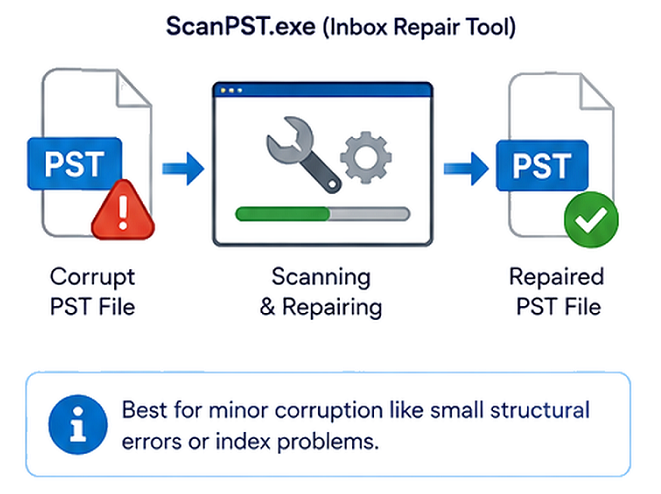
Restore Emails from an Outlook Backup
If you’ve been backing up your PST file, or if Outlook’s AutoArchive feature has quietly been doing it for you, restoring from a recent backup is usually the fastest and safest option. Close Outlook, replace the corrupted PST file with your backup copy, then reopen Outlook to confirm everything loads correctly. The obvious catch is that this only works if a backup actually exists, and any emails received after that backup was made won’t be recovered. It’s worth checking your backup schedule now, before you need it again.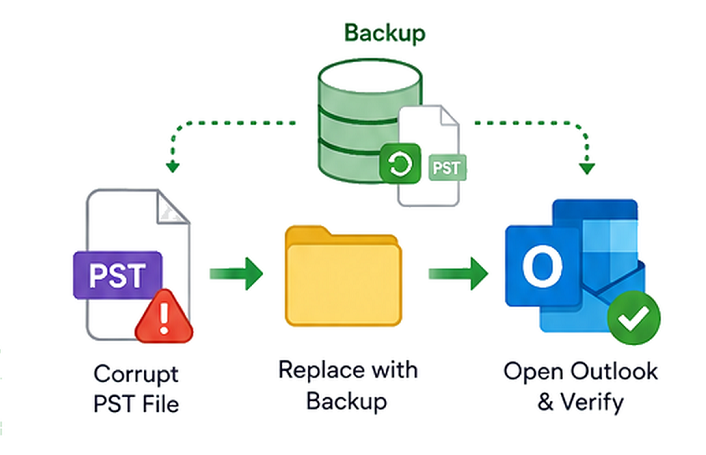
Recover Emails Using Professional PST Repair Tool
When ScanPST can’t fix the problem and no backup is available, dedicated PST recovery software is usually the next step. These tools are built to handle deeper corruption than Outlook’s own repair utility can manage, and most let you preview what’s recoverable before committing to a full export. This is where a tool like BreviSoft PST File Repair Tool comes in, built specifically for situations where the damage goes beyond what ScanPST can fix.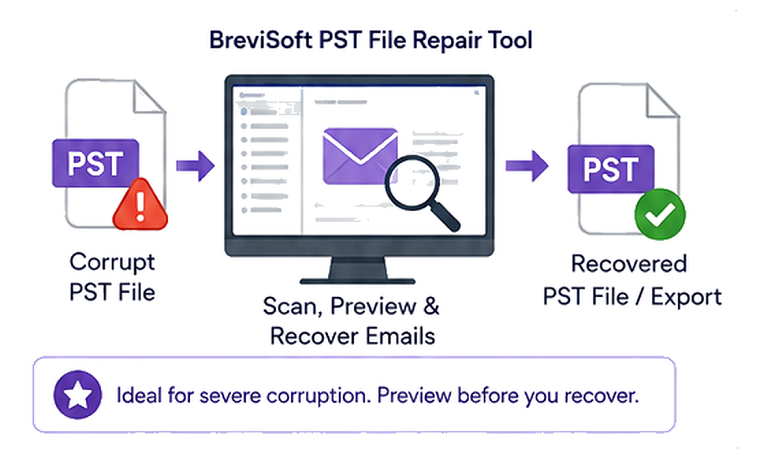
Best Software to Recover Outlook Emails From Corrupt PST
When a PST file is too far gone for Outlook’s own tools, BreviSoft PST File Repair Tool is designed to pick up where ScanPST leaves off, built specifically for cases where standard repair methods haven’t worked.
- Repair severely corrupted PST files: The tool scans damaged PST files at a deeper level than ScanPST, recovering emails, contacts, and folders even from files Outlook can no longer open at all.
- Preview recoverable emails and mailbox data: Before saving anything, you can preview the recovered content, so you know exactly what’s coming back before committing to the final export.
- Save recovered Outlook data: Once you’ve confirmed what you need, you can export the recovered data into a new, usable PST file or another supported format, ready to import back into Outlook.
Steps to Recover Emails from a Corrupt PST File Using BreviSoft
- Launch BreviSoft PST File Repair Tool and add your corrupted PST file.
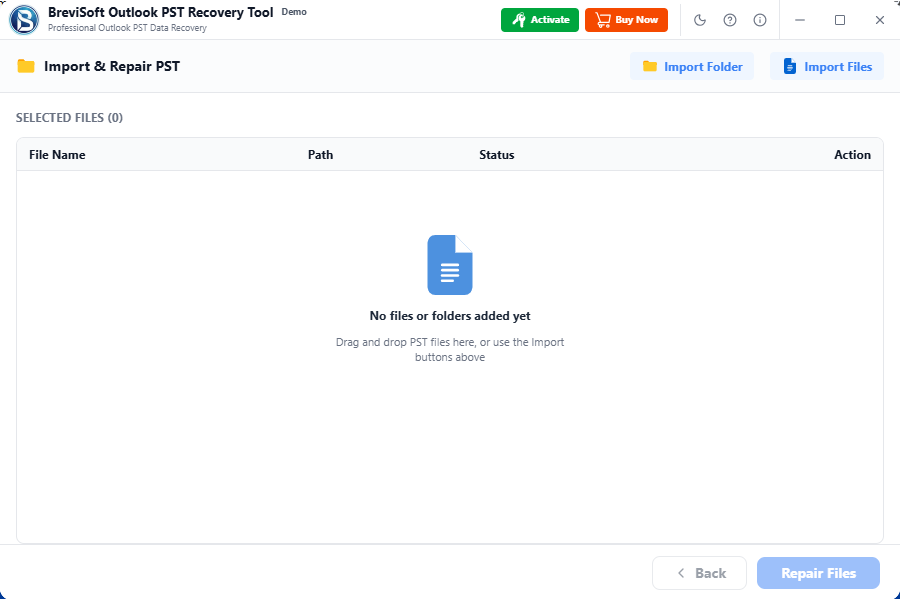
- Scan the file to let the tool detect and analyze the damage.

- Preview the recoverable emails and mailbox data before saving anything.
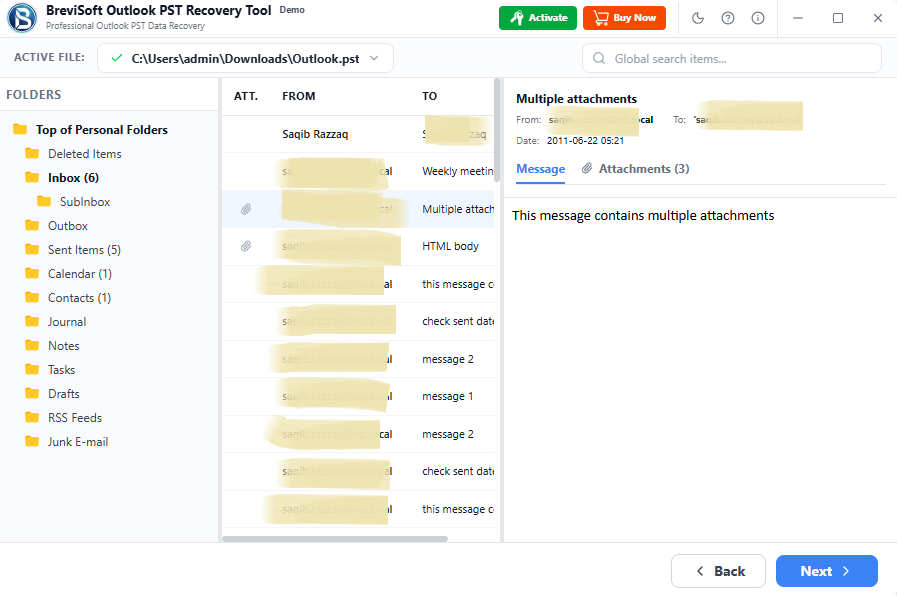
- Select the items you want to recover.
- Export and save the recovered data to a new PST file or another supported format.

For anyone dealing with a badly damaged mailbox, a professional recovery tool like this is often the difference between losing years of email history and getting it all back.
Conclusion
PST corruption is frustrating, but it’s rarely the end of the road for your data. Start with Outlook’s built in ScanPST tool for minor issues, check whether a recent backup exists, and if neither gets you where you need to be, dedicated recovery software like BreviSoft PST File Repair Tool can handle the more serious cases. The key is acting quickly, since the longer a damaged PST file sits untouched, the greater the risk that the underlying data degrades further.
Frequently Asked Questions About PST Email Recovery
Ans – In most cases, yes. Minor corruption can often be fixed with Outlook’s ScanPST tool, while more serious damage usually calls for dedicated PST recovery software. The odds of a full recovery depend on how badly the file is damaged and how quickly you address it.
Ans – Not always. ScanPST works well for minor structural issues, but it has real limits. With more severe corruption, it can fail to repair the file completely, or it may strip out data it can’t parse while trying to fix it. For files with significant damage, dedicated recovery software is generally more reliable.
Ans – Start with ScanPST if you haven’t already, since it’s free and built into Outlook. If that doesn’t resolve the issue, or the file won’t open at all, a professional recovery tool like BreviSoft PST File Repair Tool is built to handle exactly this kind of severe corruption, since it can recover data that Outlook’s own repair utility can’t reach.