• Try the JSON file Converter Tool to convert JSON to PDF, XPS, DOC, DOCX, RTF, TXT, and other document formats.
  • Allows users to convert JSON to SQL and other specialized formats like SCRIPT, PCL, vCard and ICS.
  • Facilitates features to convert JSON to Structured Data(Text) such as CSV, JSONL, YAML, TOML, etc.
What's new in BreviSoft JSON Converter Software
v1.0.0
  • 30+ file formats like Document, Structured Data(Text/Binary).
  • Convert JSON to Database files and Markup/Web formats.
  • Configuration options to enhance the JSON file conversion process.
  • Filtering and targeted extraction based on various scopes.
  • Advanced Settings for forensics & intelligence analysis.
1M+ Downloads
190+ Countries Worldwide
15+ Years Experience

JSON File Supported Platforms

The JSON Chat Converter Tool supports all JSON chat files created by the following platforms:

๐Ÿค–

ChatGPT

๐Ÿง 

Claude

๐Ÿ’Ž

Gemini

๐Ÿง‘โ€๐Ÿš€

Grok

๐ŸŒŠ

DeepSeek

๐Ÿฆ™

Meta AI

โœจ

Mistral

๐ŸŸฆ

Copilot

โšก

Perplexity

๐Ÿ’ฌ

Slack

๐Ÿ’ญ

Google Chat

๐Ÿ“ž

Skype

๐ŸŸช

Microsoft Teams

๐Ÿ“ท

Instagram

โœˆ๏ธ

Telegram

๐Ÿ“Š

Airtable

๐ŸŸฃ

Mattermost

Why JSON File Converter Tool is the Choice of Experts

Professionals opt for the JSON File Converter Tool for its precision and high-performance JSON file data conversion. It allows them to transform JSON files into multiple readable file formats while preserving structure and data integrity. Its best capabilities make it one of the ideal choices for accurate and scalable workflows. The software is built for both simple and complex datasets, which delivers fast, secure, and consistent results for data migration, integration, and analytics with minimal effort.


JSON Conversion into Multiple Formats

BreviSoft JSON Converter Software allows you to convert a JSON file into several file formats. It enables users to convert their JSON files into Document formats, Structured Data(Text/Binary), Database Files, Markup/Web formats and specialized formats.

Converting JSON to 30+ File formats

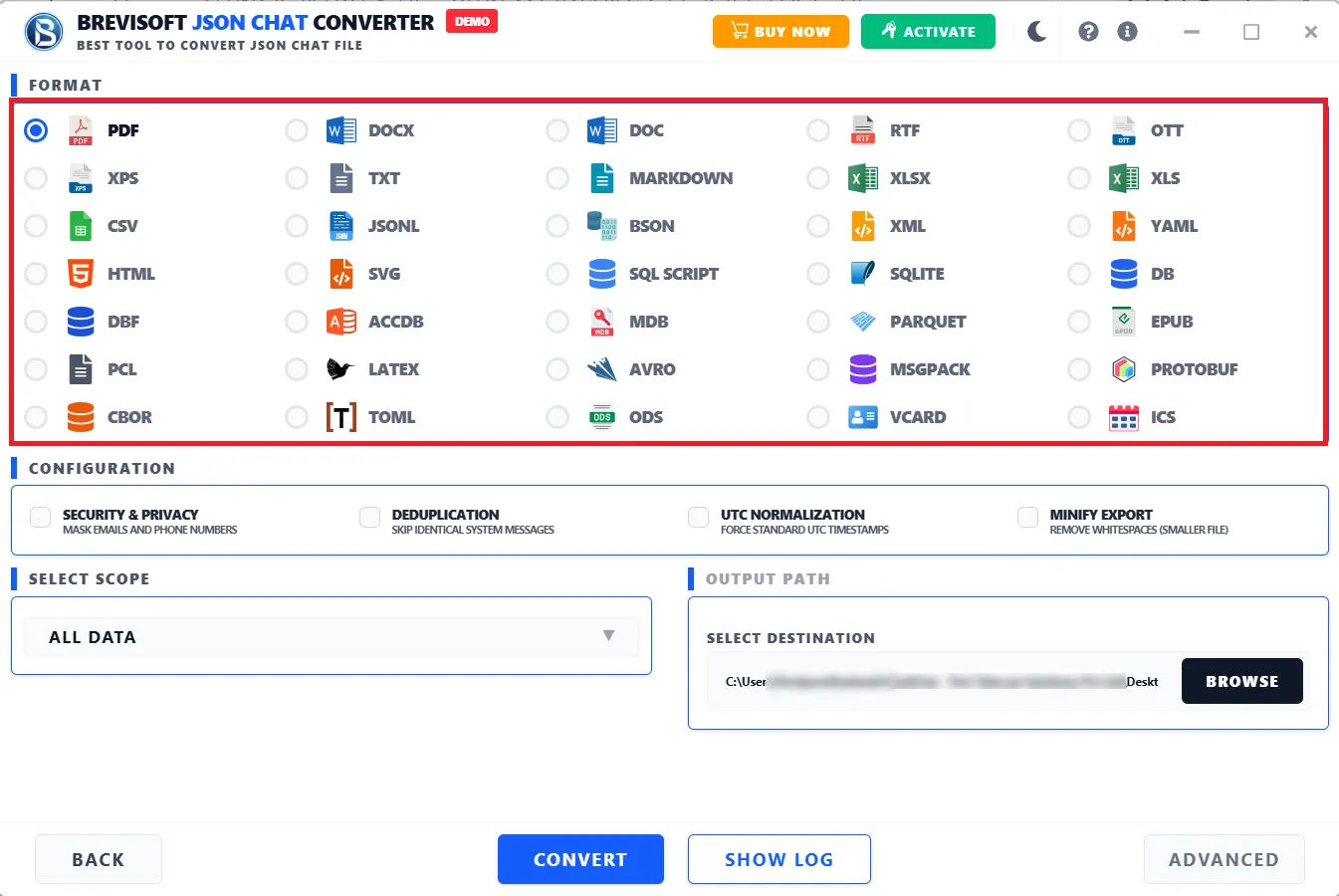
JSON Chat Converter is the most trustworthy solution for users as it allows users to convert JSON files into 30+ file formats like PDF, XPS, DOC, DOCX, RTF, TXT, MARKDOWN, LATEX, XLS, XLSX, ODS, OTT, EPUB, CSV, JSONL, YAML, TOML, etc.

Built-in Advanced Settings Option

Allows users to convert single or bulk JSON files into multiple outputs with built-in advanced functionalities like SHA-256 Hashing, Audit Logging, Metadata Extraction, and Delete Highlighting. These all functions make this solution differ from others, and it enables ensuring forensic integrity & traceability during conversion.

Export JSON File Up to 35 File Formats

The JSON Converter Tool export 35 different file format, you can choose file format according to your needs:-

Everything Preserved During JSON Chat Conversion

User Messages
AI Responses
Markdown Formatting
Code Blocks
Tables & Lists
Message Timestamps
Conversation Title
Inline Images
Blockquotes
Platform Metadata
Message Threading
Heading Hierarchy

JSON Conversion Tool - Features

Built-in Advanced Software to Simplify JSON File Conversion for Professionals and Enterprises

Convert JSON files to Document/Web

BreviSoft JSON Chat Converter Software allows users to easily convert JSON files into document file formats like PDF, XPS, DOC, DOCX, RTF, TXT, MARKDOWN, LATEX, XLS, XLSX, ODS, OTT, and EPUB. Users also have an option to convert bulk JSON files into Markup / Web Formats: HTML, XML, and SVG, as per their needs, to save the data.

Support Multiple Apps JSON Files

The JSON Converter tool is fully compatible with JSON files created by any application globally. It supports apps like Slack, Google Chat, Skype, Microsoft Teams, Instagram, Telegram, Airtable, Mattermost, Facebook, and Rocket.Chat. Apart from this, you can perform JSON conversion to specialized formats such as SQL SCRIPT, PCL, vCard, and ICS.

Preview JSON file content completely

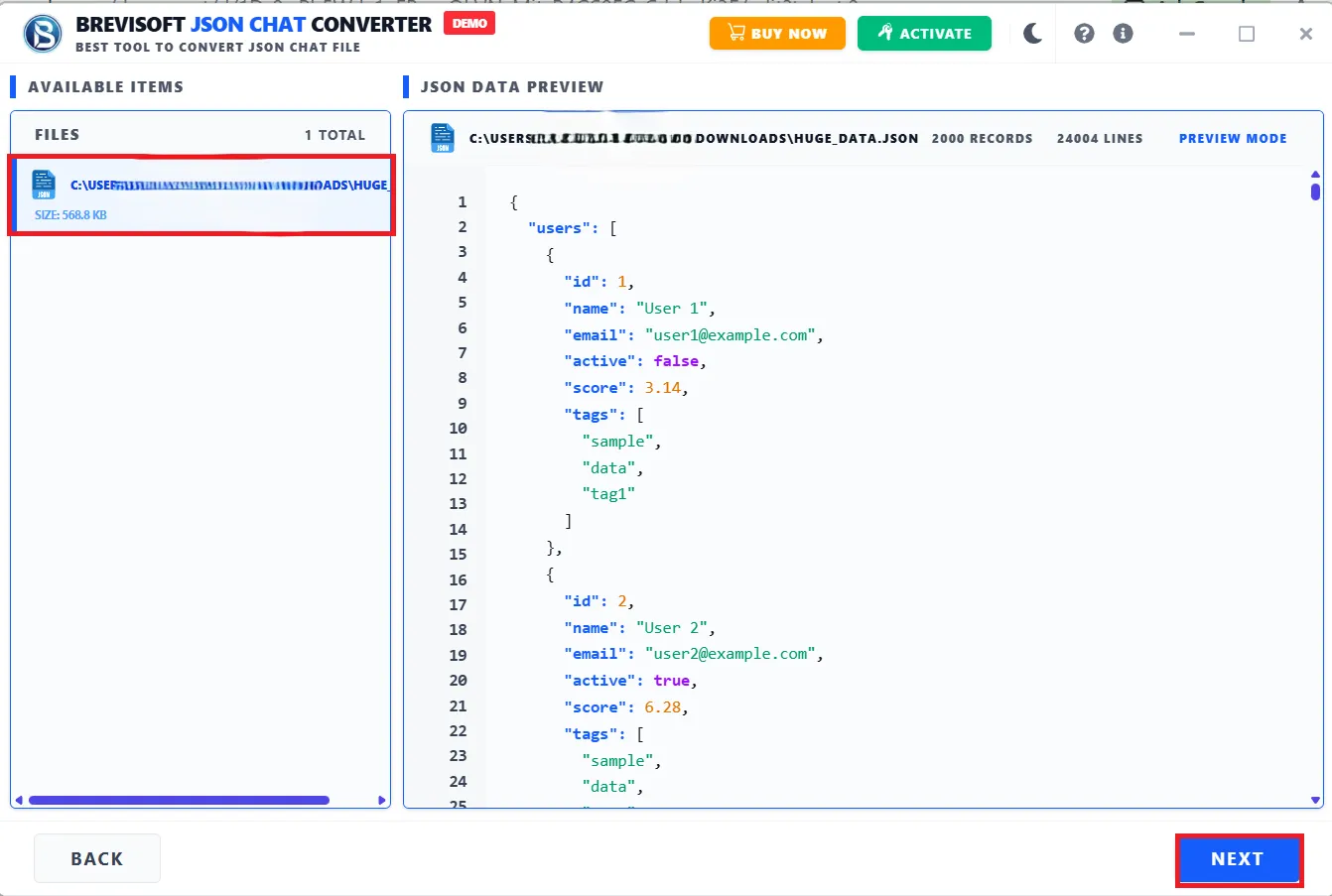
The JSON Converter software lets users preview JSON File data completely, like their whole code, and the total number of records and lines. View all content before JSON file conversion. Moreover, the software facilitates capabilities to convert JSON files into multiple Database file formats, like ACCDB, MDB, SQLITE, DB, and DBF.

Advance Security & Privacy

The tool is designed with a powerful algorithm that allows users to mask emails and phone numbers with the help of Security & Privacy features. It helps to hide sensitive info like present in the chat content and ensures privacy protection and compliance. You can also opt for the deduplication feature to remove duplicate records (same message/data repeated) and keep your dataset clean and relevant.

Preserve data integrity after JSON conversion

Keep content secure and unchanged after conversion with our trusted JSON file converter software. The software allows users to perform metadata extraction, which helps users to extract hidden info from media files like: location (GPS), device used and timestamp. Additionally, one can also mark deleted messages or records clearly by opting for the delete highlighting feature.

Convert JSON to Structured Data

The software allows you to get all your JSON file content into several Structured Data formats (Text & Binary). It is competent enough to convert JSON to CSV, JSONL, YAML, TOML, BSON, CBOR, MSGPACK, AVRO, PARQUET, and PROTOBUF in their original quality.

Advanced Content Sorting Filters

Using this JSON File Converter Tool, users can perform JSON file conversion to other readable file formats based on multiple scopes. It basically allows users to perform filtering and target extraction of JSON content by following these processes:

  • All Data โ†’ Everything
  • Message Only โ†’ Only text/messages
  • Media Only โ†’ Images, videos, files
  • Last 30 Days โ†’ Recent data
  • Custom Range โ†’ Between specific dates
UTC Normalization & Manify Export Functions

Convert JSON files by enabling the UTC Normalization and Manify Export features. These two features allow us to convert all timestamps to UTC (Universal Time), which is useful for analysis, sorting, and system compatibility and removes spaces, line breaks, and indentation to make file lighter for storage & fast transfer.

Advanced Forensic Capabilities

The JSON File Converter itself contains two incredible features that help perform deep JSON file conversion and apply advanced settings to obtain more effective information and output files. SHA-256 hashing generates a unique fingerprint of the data, and it is useful for proving data integrity (tamper-proofing). Audit logging creates a log of what was processed, when, and by whom.

OS Compatibility & Easy to Use

JSON Converter Software is designed to assist users across different operating systems. Whether you're using any version of Windows, the JSON Converter is capable of running on it and ensuring smooth and hassle-free JSON conversion. It also includes a simple and easy-to-use interface that allows users of all levels to use the utility effortlessly.

Who Uses JSON Chat Converter

Professionals, teams, and individuals across every industry

Professionals
Researchers Writers Journalists Lawyers Consultants Project managers Data analysts
Education
Students Teachers Professors Academic researchers Thesis writers
Tech & Development
Developers AI/ML engineers Prompt engineers Product managers QA testers DevOps teams
Business & Enterprise
Customer support Sales teams HR professionals Marketing teams Business analysts Compliance officers
Creative & Media
Content creators Bloggers Podcasters Screenwriters Social media managers UX researchers
Healthcare & Public Sector
Healthcare professionals Therapists Coaches Government agencies NGOs & nonprofits
BreviSoft JSON Converter Tool โ€“ Specifications

Ensure your system meets all software and hardware requirements for a smooth JSON file conversion experience

Software Download

Size: 89 MB

Version: 1.0.0

Demo Limitation

Limitations
The demo version of BreviSoft JSON Chat Converter Tool allows you to convert up to 25 files into other formats for free with limitation.

System Specifications

Hard Disk Space
1000 MB of free hard disk space required

RAM
4 GB is recommended

Processor
IntelยฎCoreโ„ข 2 Duo CPUE 4600@ 2.40GHz 2.39GHz

Application
Pre-Requisites

Run the tool as Standard/Guest User without asking for admin privilege:

  • If installation has done using Admin User, then all Users of machines can run the tool without Admin rights.
  • If installation has done using Standard User with Run as Admin mode, then all Users of machines can run the tool without Admin rights.
  • If installation has done using Standard User without Admin rights, then only same Standard User can run the tool.

Supported Editions

  • Windows OS โ€“ Windows 7, 8, 8.1, 10 (32 & 64-bit), Windows 11 (64-bit), Windows Server 2008, 2012 R2, 2016, 2019, 2022

FAQs

Please Disable Anti-Virus Temporarily / Allow access (Whitelist) from Anti-Virus Settings for proper working of the software.

Please avoid sources from NAS, SAN, Network or Shared Drive. Source file should be on migration machine to perform successful migration.

Electronic Delivery

Our delivery process is completely automated. Once your payment is confirmed, an email will be sent to you within a few minutes containing the download link and your activation key.

JSON File Converter โ€“ Features at a Glance

Compare Free vs. Full Version and Explore All Capabilities of the Software

Features Demo Version Full Version
Add JSON Chat Files
Preview Chat Data
Selective Conversion
Advanced Filters & Settings Limited Full Access
Number of Chats Conversion Limited (e.g., 25 chats) Unlimited
Batch Conversion
Multiple Export Formats Limited 25+ / Full Formats
Maintain Chat Attributes Basic Support Complete Preservation
Custom Save Location
Folder / Bulk Upload
Speed & Performance Standard High-Speed Processing
Technical Support 24/7 Support
License / Cost Free $29
Award-Winning and Expert-Approved JSON Chat Converter

Trusted by Professionals & Enterprises Worldwide

TechRadar

TechRadar highlights that the JSON File Converter Tool delivers impressive performance when handling a large number of files. Its ability to retain structural accuracy during conversion makes it particularly valuable for data-intensive environments and professional workflows.

G2

G2 says about this software that it is very easy to use and does exactly what it promises. It enables users to convert single as well as multiple JSON files into other document file formats like PDF, DOC, RTF, TXT, without losing structure, and the process was smooth even for complex data.

Capterra

Capterra A well-balanced and unique solution that allows users to perform JSON file conversion into 30+ other readable file formats. Its clean interface, along with reliable conversion capabilities, makes it suitable for both beginners and experienced users.

SoftwareSuggest

SoftwareSuggest This tool offers strong value with its advanced features, which are capable of performing forensic analysis. It provides benefits such as SHA-256 hashing, audit logging, metadata extraction, and delete highlighting, and these capabilities make it one of the best choices in the market.

Frequently Asked Questions

Following are the simple steps to convert JSON files into PDF file:

  • Download and Run JSON to PDF Converter.
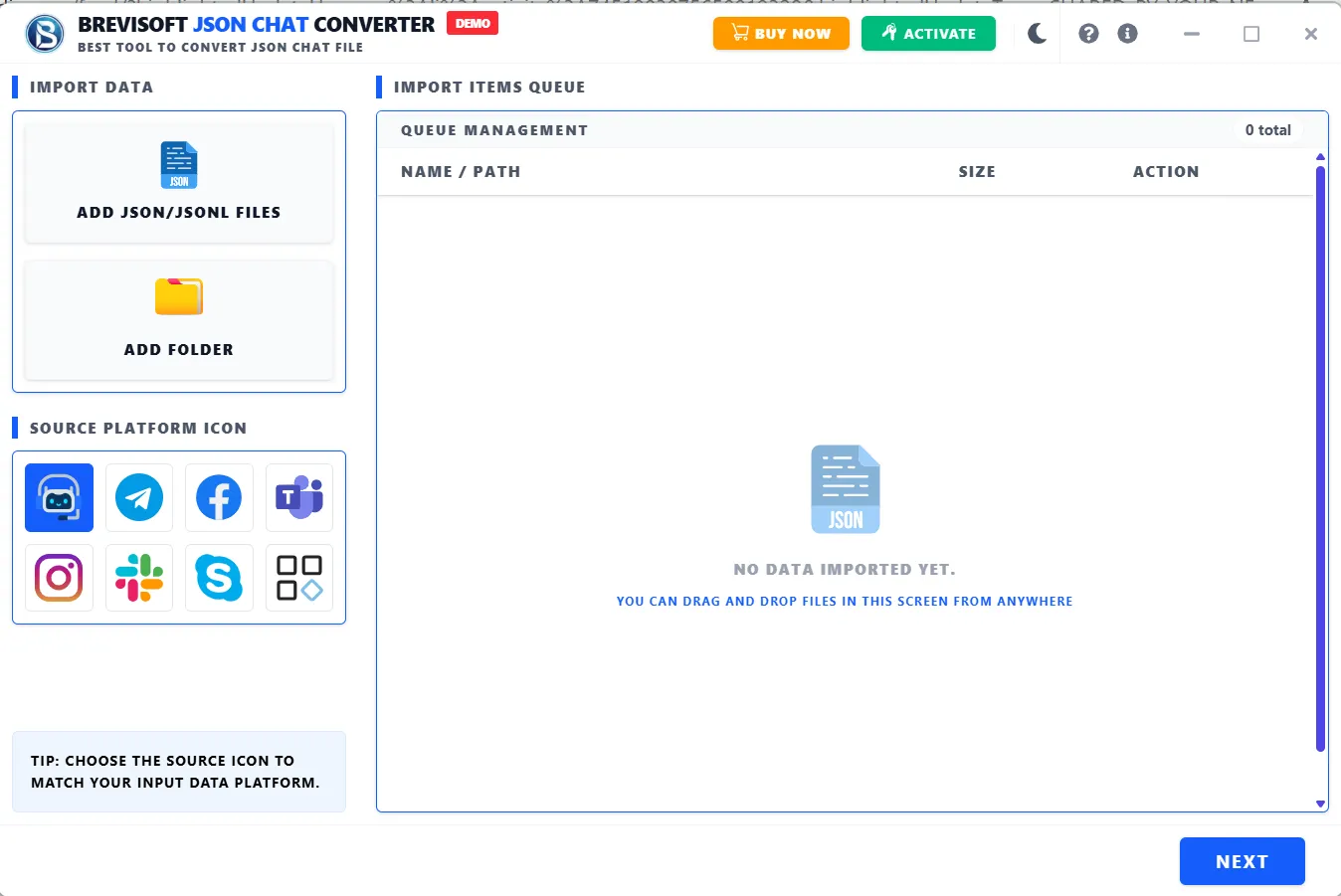
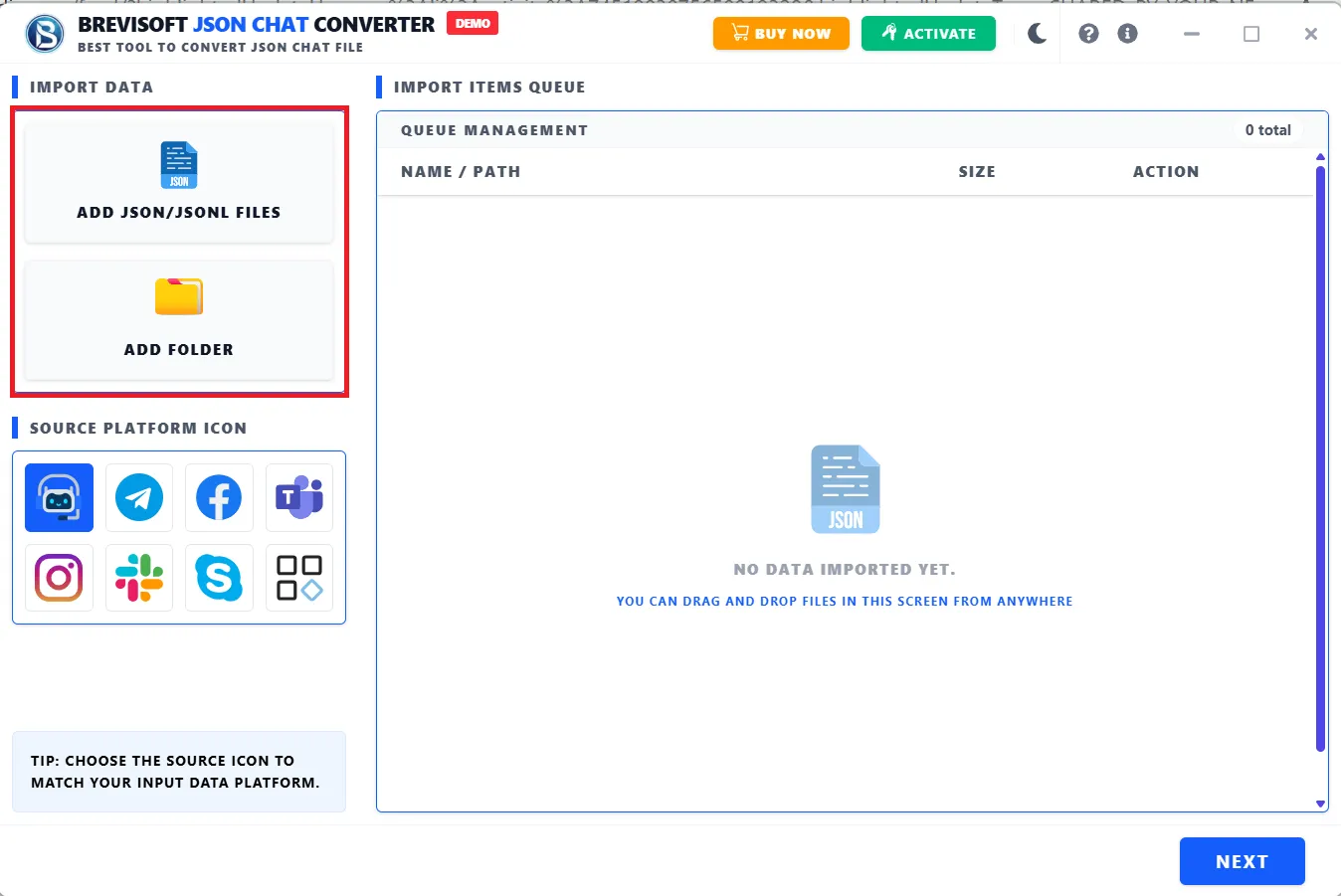
  • Opt for the Add JSON option and include JSON files from your system.
  • Click Next and preview the total number of records and lines>>Next.
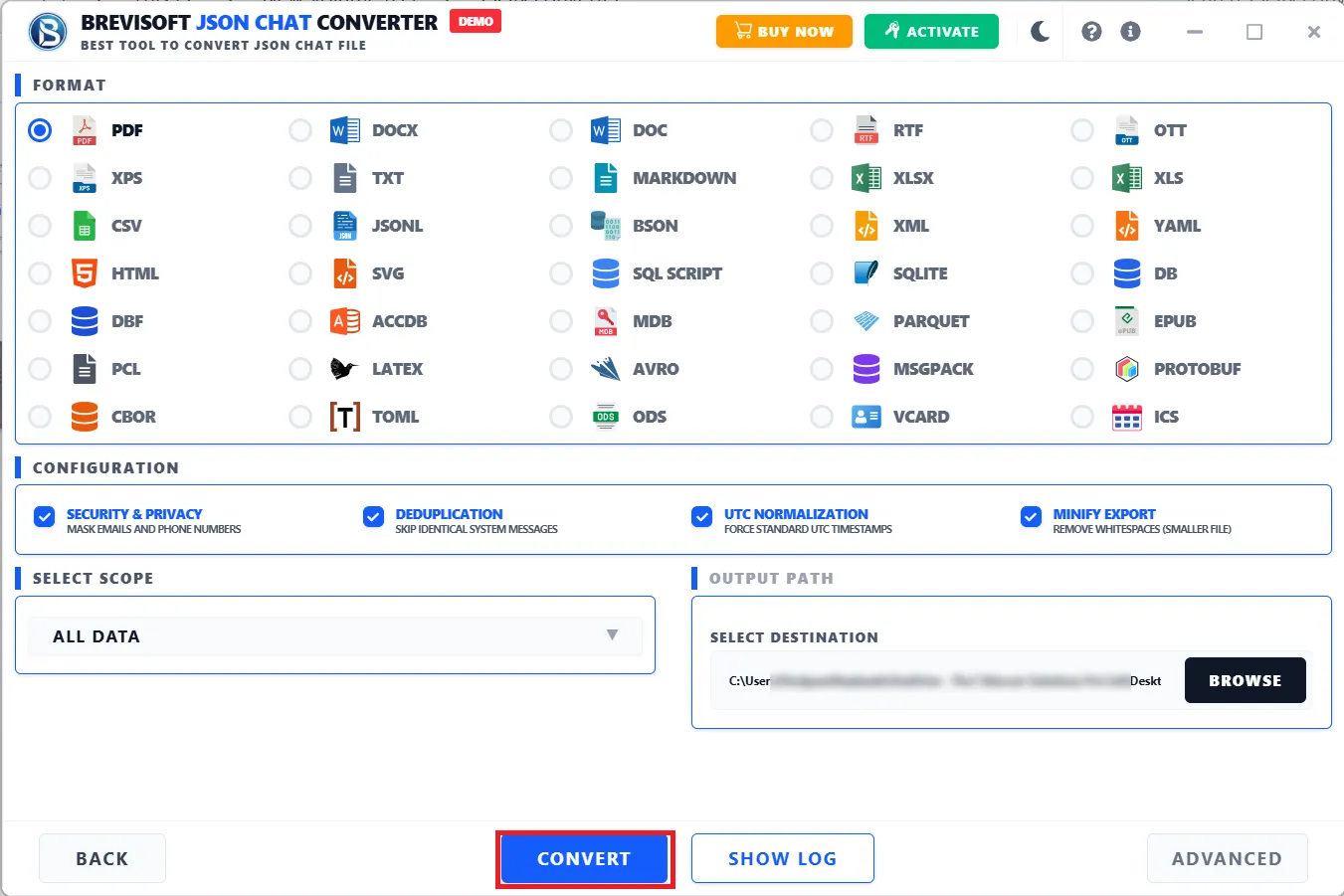
  • Choose the Saving format as PDF and select the needful built-in features.
  • You can also choose scope for data processing and click Convert.
  • Soon, the software will convert your JSON file into a readable PDF format.

This JSON Chat Converter is designed with a highly advanced algorithm which offers users around 30+ saving file formats. Below is the list of total files according to their types:

  • Document Formats: PDF, XPS, DOC, DOCX, RTF, TXT, MARKDOWN, LATEX, XLS, XLSX, ODS, OTT, EPUB
  • Structured Data (Text): CSV, JSONL, YAML, TOML
  • Structured Data (Binary): BSON, CBOR, MSGPACK, AVRO, PARQUET, PROTOBUF
  • Database Files: ACCDB, MDB, SQLITE, DB, DBF
  • Markup / Web Formats: HTML, XML, SVG
  • Specialized Formats: SQL SCRIPT, PCL, VCARD, ICS

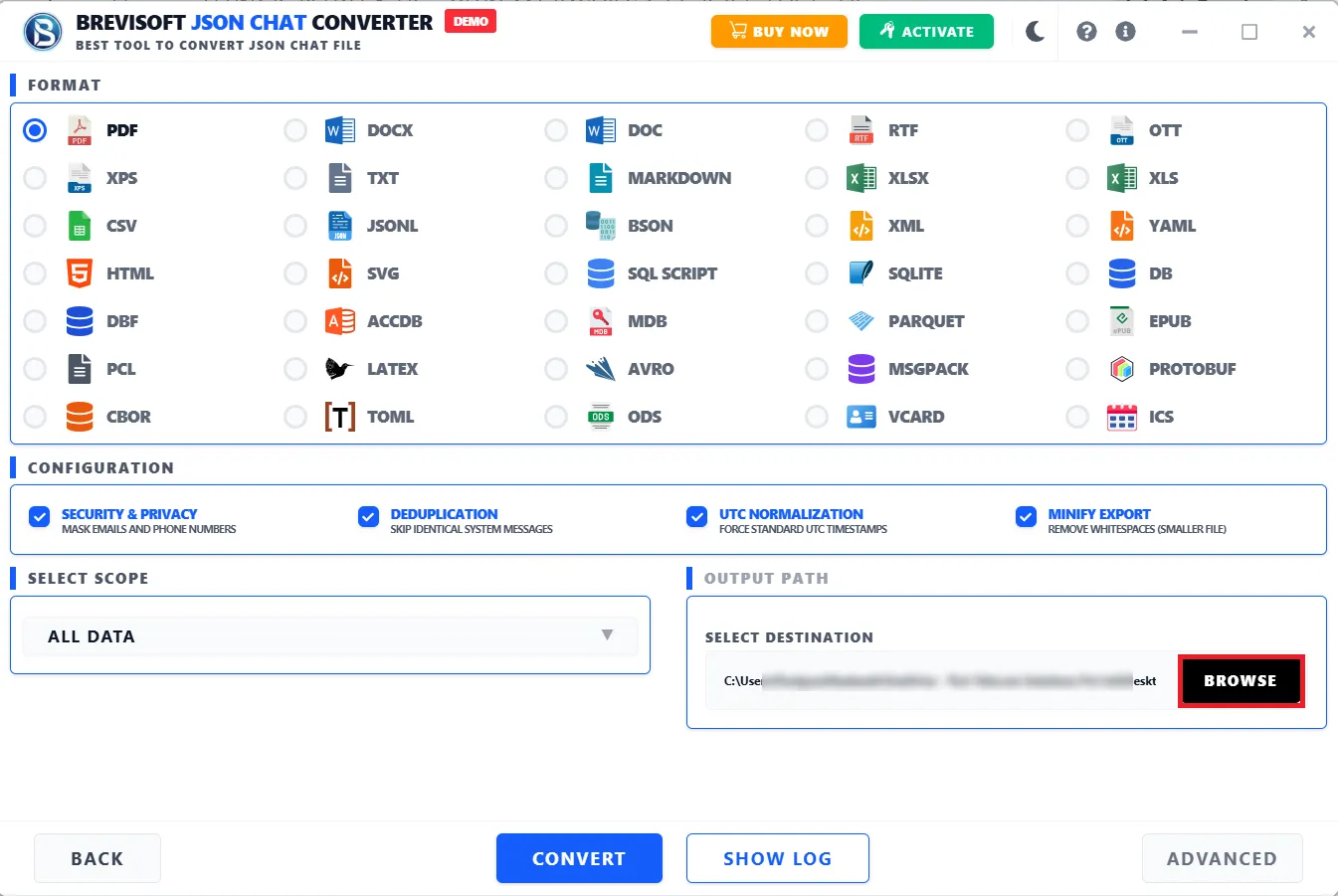
Yes, the configuration functionalities in the software are very unique and advanced. They enable smoother conversion of JSON files. It includes various functionalities, which are given below:

  1. Security & Privacy
    • Mask Emails and Phone Number
    • Used for privacy protection/compliance
  2. Deduplication
    • Removes duplicate records (same message/data repeated)
    • Removes duplicate records (same message/data repeated)
  3. UTC Normalization
    • Converts all timestamps to UTC (Universal Time)
    • Ensures consistency across time zones
  4. Minify Export
    • Compresses output by: Removing extra formatting and Reducing file size
    • Faster storage & transfer

Users can easily convert JSON to Excel Online by following the steps below:

  • Download, Install and Run JSON File Converter Software.
  • Click Add Folder>>Select JSON files>>Click Next.
  • Shows a preview of all JSON file content and clicks Next.
  • Choose the XLS/ XLSX according to your Excel version from the list.
  • Opt for the Configuration features and scope as per your needs.
  • You can also go for the Advanced setting for your Output file.
  • Click the Convert, and your JSON files are converted into Excel format.

Yes, the JSON File Converter tool has an advanced scope option which allows you to control what data gets included during conversion.

  • All Data โ†’ Everything
  • Message Only โ†’ Only text/messages
  • Media Only โ†’ Images, videos, files
  • Last 30 Days โ†’ Recent data
  • Custom Range โ†’ Between specific dates

Advanced Settings provide enhanced features for data security, traceability, and forensic analysis:

  • SHA-256 Hashing โ€“ Creates a unique data fingerprint to detect any tampering.
  • Audit Logging โ€“ Records who did what and when, ensuring full traceability.
  • Metadata Extraction โ€“ Retrieves hidden file details (e.g., GPS, device, timestamp).
  • Delete Highlighting โ€“ Flags deleted data to track removals and changes.

Yes, this JSON Converter download offers a free version that allows users to convert 50 items per folder without investing a single penny.

OUR CLIENT'S REVIEW

What Users Are Saying About BreviSoft JSON Converter