- Bulk convert Outlook PST contacts to CSV in just a few clicks.
- Save CSV files ready for Excel and Google Contacts import.
- No Outlook installation required for PST to CSV conversion.
Know the right scenarios to choose this tool for hassle-free PST to CSV conversion
Use BreviSoft Outlook PST to CSV Converter Tool when you need to export Outlook contacts into CSV format for sharing, reporting, or importing into applications like Excel, Google Contacts, or CRM platforms. It converts contact details accurately while preserving all fields.
If you have multiple Outlook PST files, this tool lets you convert all contacts in a single process. It saves time by exporting large contact lists to CSV without losing names, phone numbers, email addresses, or other important information.
When moving from Outlook to another email service or contact management application, use BreviSoft PST Contacts to CSV Converter Tool to create CSV files that are ready for import. It simplifies migration while maintaining complete contact information and original formatting.
The BreviSoft Outlook PST to CSV Converter Tool exports complete Outlook contact information while preserving the original data. It converts the following contact fields into CSV format:
Discover powerful capabilities that make this converter stand out

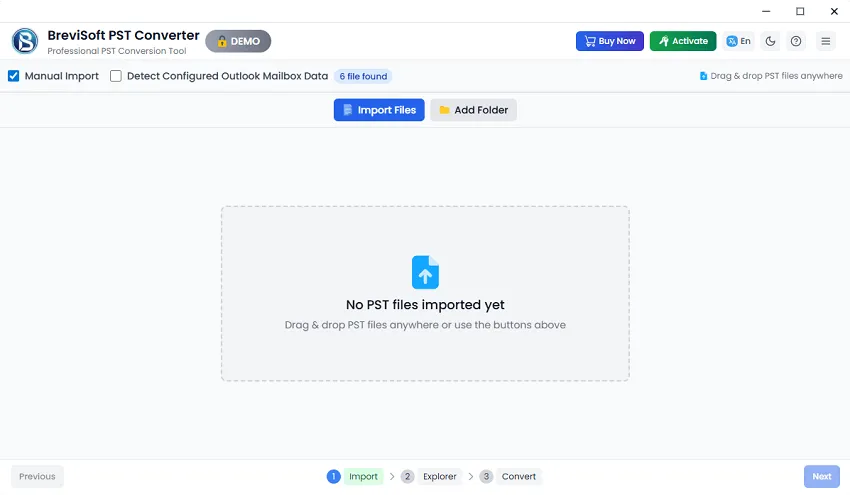
BreviSoft PST to CSV Converter Tool automatically detects Outlook PST files stored on your computer, eliminating the need to search for them manually. The software lists available data files instantly, allowing you to select the required PST file and start converting Outlook contacts to CSV within a few clicks.

The software offers both automatic and manual options to add PST files. You can let the tool detect Outlook data files automatically or browse your system to select specific PST files. This flexibility makes it easy to convert contacts from any Outlook PST file, regardless of its location.

BreviSoft PST to CSV Converter Tool exports all Outlook contact information, including names, email addresses, phone numbers, company details, addresses, notes, and custom fields. Every contact is converted accurately into CSV format while preserving the original information for seamless import into other applications.

You don't need Microsoft Outlook installed to convert PST contacts into CSV. The software works independently and reads Outlook PST files directly. This allows users to export contact data on any Windows computer, making the conversion process faster, simpler, and more convenient.

The tool intelligently detects duplicate Outlook contacts during the conversion process and prevents duplicate entries in the output CSV file. This helps keep your contact list organized, reduces manual cleanup, and ensures only unique and useful contact information is exported.

BreviSoft PST to CSV Converter Tool performs the entire conversion process on your local computer without uploading data to any server. Your Outlook contacts remain private throughout the process, ensuring complete security, data integrity, and a reliable conversion experience every time.
Download Now and Convert Outlook Contacts to CSV Formats
Trial Limitations
Limitations
The trial version of BreviSoft PST to CSV Converter Tool allows users to test PST to CSV conversion with limited items per folder. It helps evaluate features like contact preview, selective export, and accuracy before upgrading to the full licensed version.
System Specifications
Hard Disk Space
1000 MB of free hard disk space required
RAM
4 GB is recommended
Processor
Intel®Core™ 2 Duo CPUE 4600@ 2.40GHz 2.39GHz
Application
Pre-Requisites
Run the tool as Standard/Guest User without asking for admin privilege:
Supported Editions
FAQs
Electronic Delivery
After payment confirmation, you will instantly receive an email with your download link and activation key within a few minutes.
Feature Comparison of Outlook Contacts to CSV Converter (Free vs Full Version)
| Features | Demo Version | Full Version |
|---|---|---|
| Dual Modes to Upload Contacts | ||
| Selective PST to CSV Conversion | ||
| Bulk Contact Conversion | ||
| Choose Desired Save Location | ||
| Auto-Load Outlook Profile Data | ||
| Convert PST to CSV Without Outlook | ||
| Preserve Folder Structure & Elements | ||
| Convert Unlimited Outlook Contacts | 25 items per folder | Unlimited |
| Advanced Conversion Controls | Basic | Advanced |
| Priority Customer Support | ||
| Cost | Free | $29 |
See why users and industry experts trust this conversion software

Software Informer Recognized for its reliable Outlook contact conversion capabilities, BreviSoft PST to CSV Converter Tool delivers accurate CSV exports while preserving all contact details. Users appreciate its simple interface, bulk conversion support, and consistent performance across all Windows versions.

Softonic Praised for offering a fast and secure way to convert Outlook PST contacts to CSV, the software provides bulk conversion, maintains complete contact information, and works without requiring Microsoft Outlook, making it suitable for both personal and business users.

Software Suggest Recommended for businesses and professionals looking for an efficient Outlook contact migration solution. BreviSoft PST to CSV Converter Tool is valued for its accuracy, duplicate handling, flexible file selection, and compatibility with all major Outlook PST files.

CNET Highlighted as an easy-to-use PST to CSV conversion solution, the software simplifies exporting Outlook contacts with complete data integrity. Its user-friendly design, reliable performance, and support for bulk contact conversion make it a practical choice for Windows users.
BreviSoft PST to CSV Converter Tool is a professional utility that converts Outlook PST contacts into CSV format. It exports complete contact information, including names, email addresses, phone numbers, company details, and other contact fields without data loss.
Yes. The software supports bulk conversion, allowing you to add multiple Outlook PST files and export all contacts to CSV in a single operation, saving both time and effort.
No. The tool works independently and does not require Microsoft Outlook installation. It directly reads PST files and converts contacts into CSV format.
The software exports all major contact fields, including full name, email address, mobile number, company name, job title, postal address, notes, website, birthday, and other available contact properties.
Yes. BreviSoft PST to CSV Converter Tool fully supports both ANSI and Unicode Outlook PST files created by all major Microsoft Outlook versions.
Yes. The software includes an option to automatically detect and skip duplicate Outlook contacts, ensuring a clean and organized CSV output.
No. You can convert small or large PST files without any file size restrictions while maintaining complete contact information.
Yes. The software preserves all contact information and properties during the conversion process without modifying the original PST file.
The tool supports Windows 11, Windows 10, Windows 8, Windows 7, and all earlier supported Windows operating systems.
Yes. The generated CSV file is compatible with Microsoft Excel, Google Contacts, CRM software, Microsoft Outlook, and many other contact management applications.
Absolutely. The entire conversion process is performed locally on your computer. Your PST files are never uploaded online, ensuring complete privacy and data security.
Yes. BreviSoft PST to CSV Converter Tool offers a free trial version so you can evaluate the software before purchasing the full licensed edition.
BreviSoft PST to CSV Converter Tool – Verified Purchase Reviews
I needed to export thousands of Outlook contacts into CSV for a CRM migration. BreviSoft PST to CSV Converter Tool completed the job quickly without losing names, phone numbers, or email addresses. The interface was straightforward, and the output CSV imported perfectly into our system. Highly recommended
We had several PST files containing years of business contacts. This tool converted everything into CSV accurately and preserved every contact field. The bulk conversion feature saved us hours of manual work, and I didn't even need Outlook installed.
BreviSoft PST to CSV Converter Tool worked exactly as promised. It detected my PST files automatically, removed duplicate contacts, and generated clean CSV files ready for Excel and Google Contacts. The conversion was fast, secure, and completely hassle-free. Highly satisfied with the purchase.