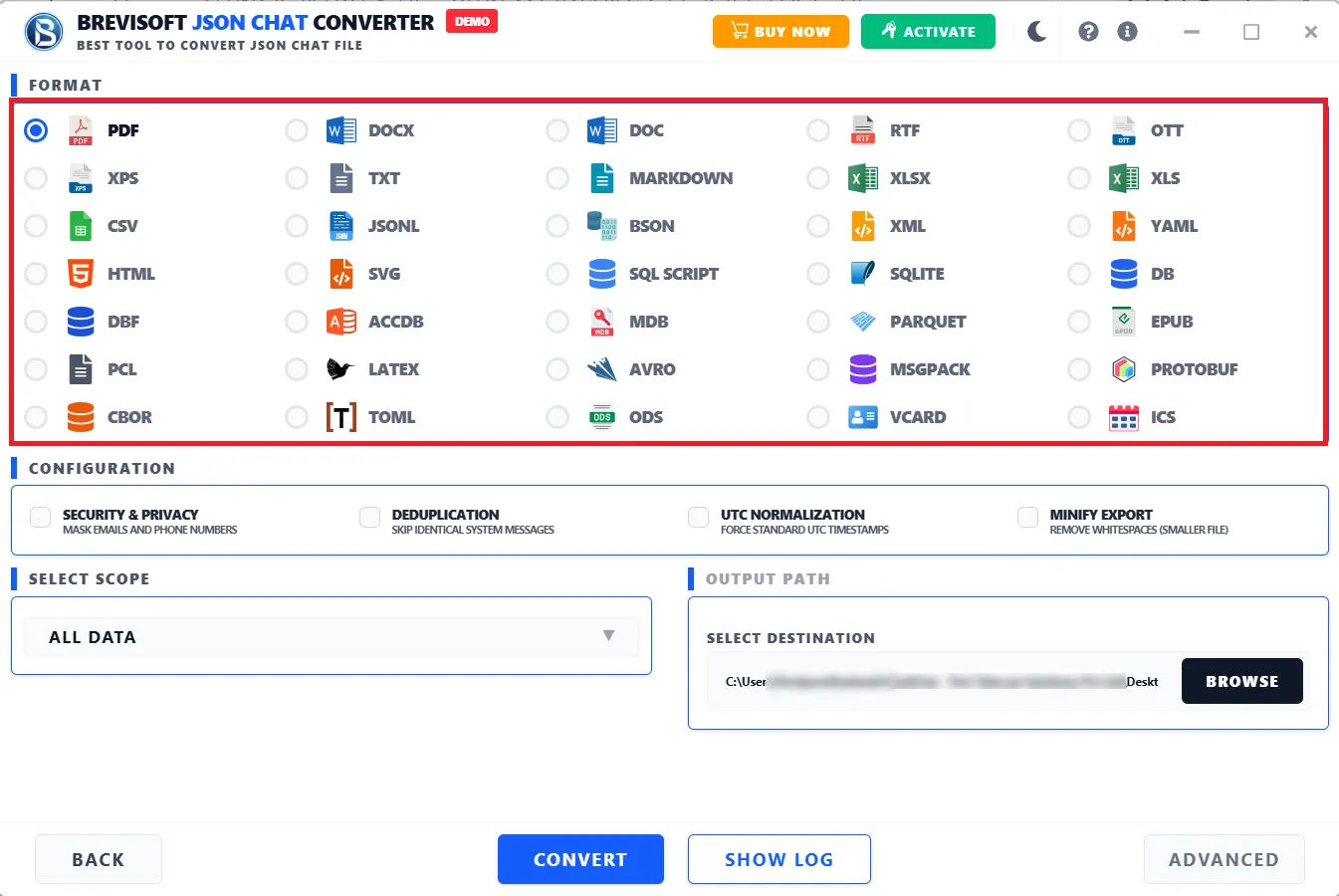
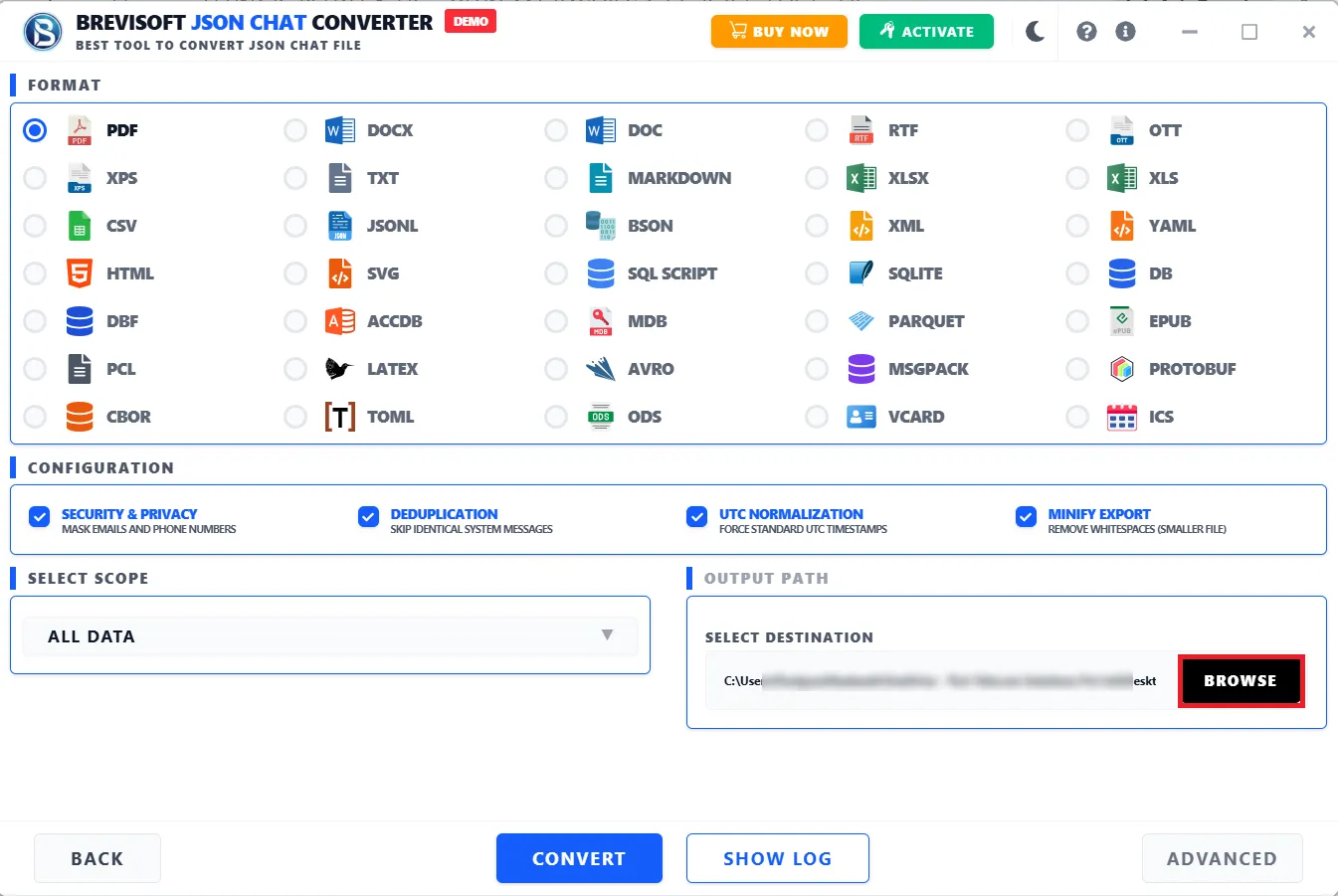
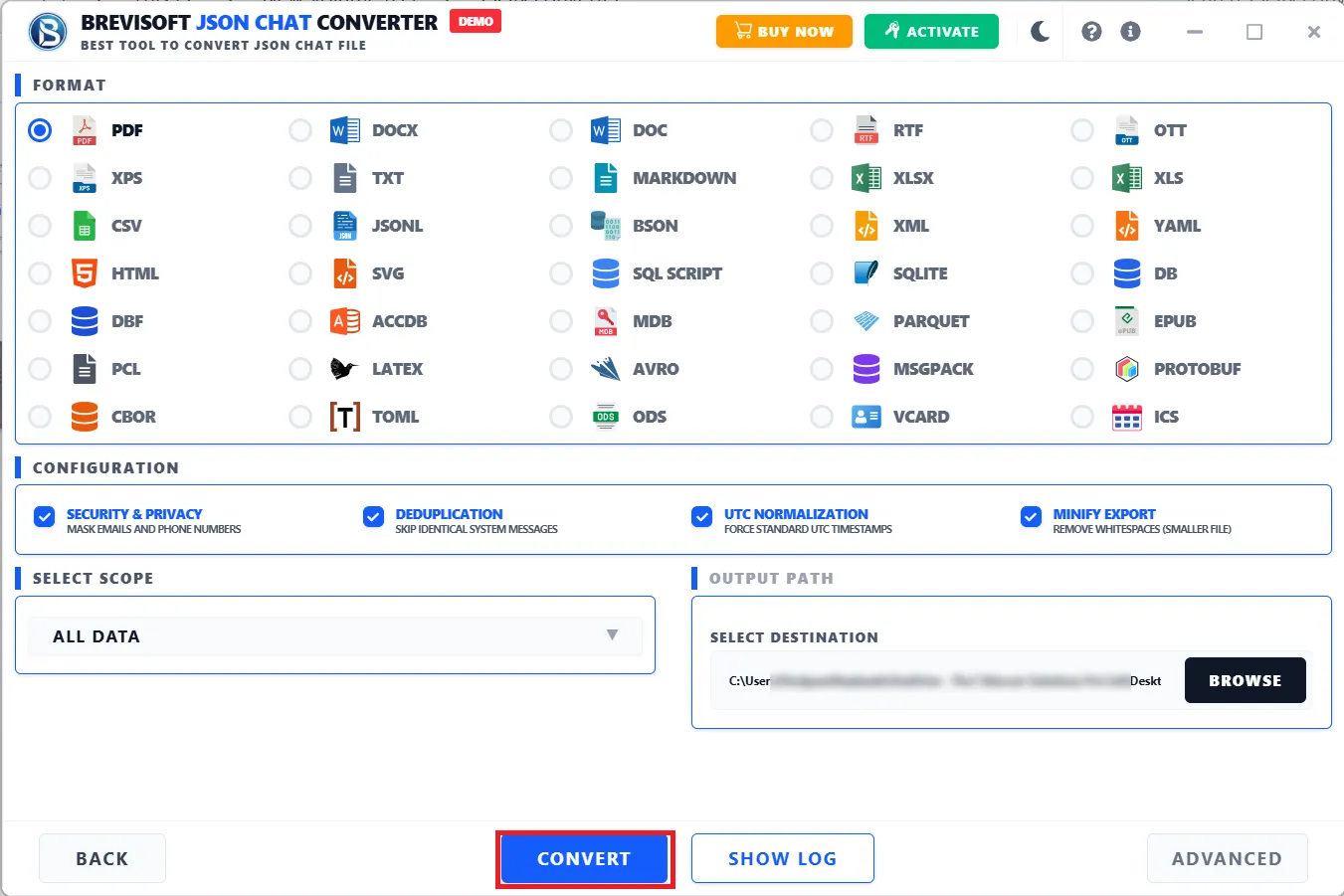
• Fast JSON to Excel Conversion: Convert JSON files into Excel XLSX format through a quick, efficient process.
  • Preview JSON Data Before Conversion: Preview your JSON file content before converting, so you can check the source data first.
  • Simple and User-Friendly Interface: Convert JSON to Excel without any coding knowledge or complicated setup.


Perform JSON to Excel XLSX Conversion in 4 Easy Steps

Step 1

Add JSON File

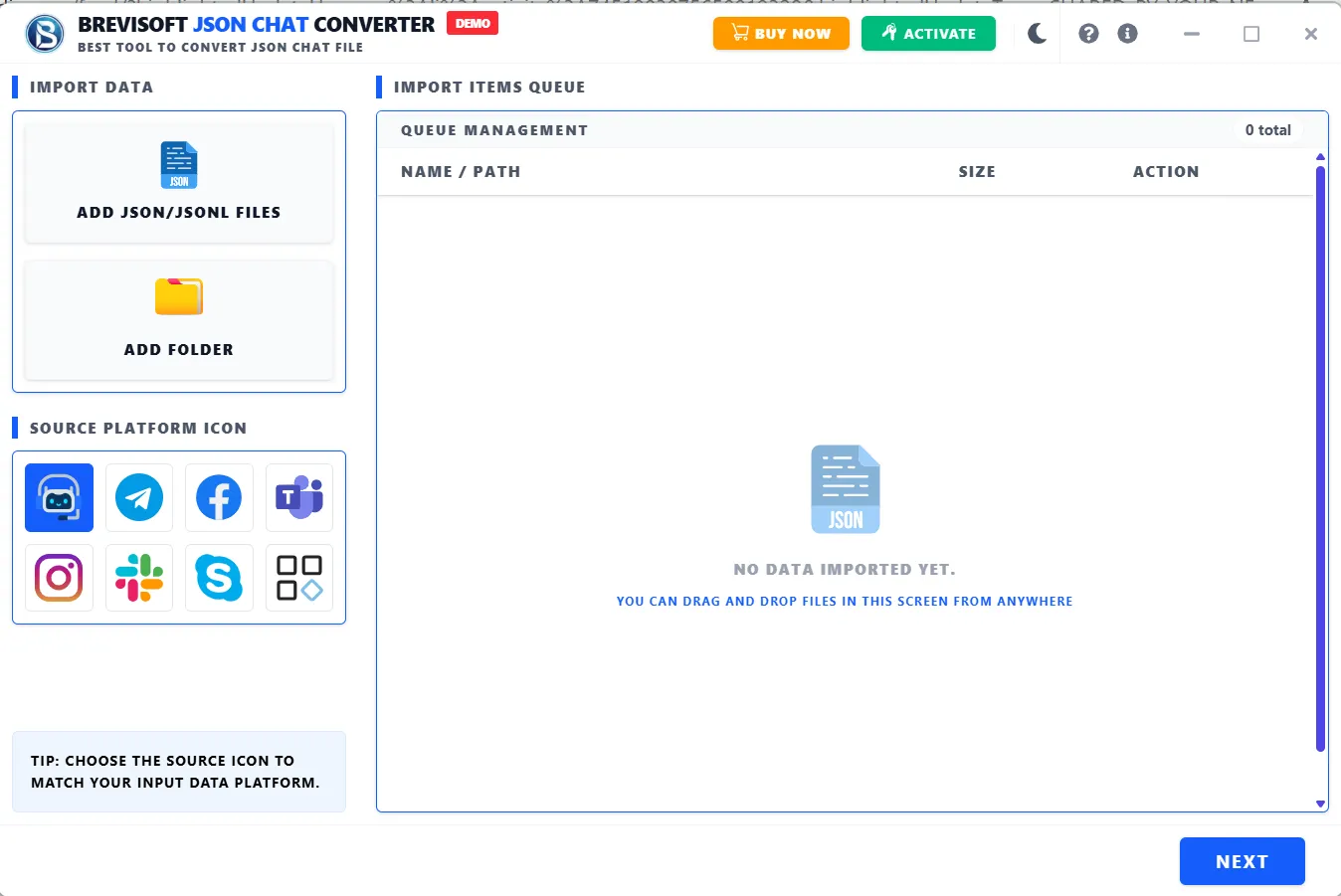
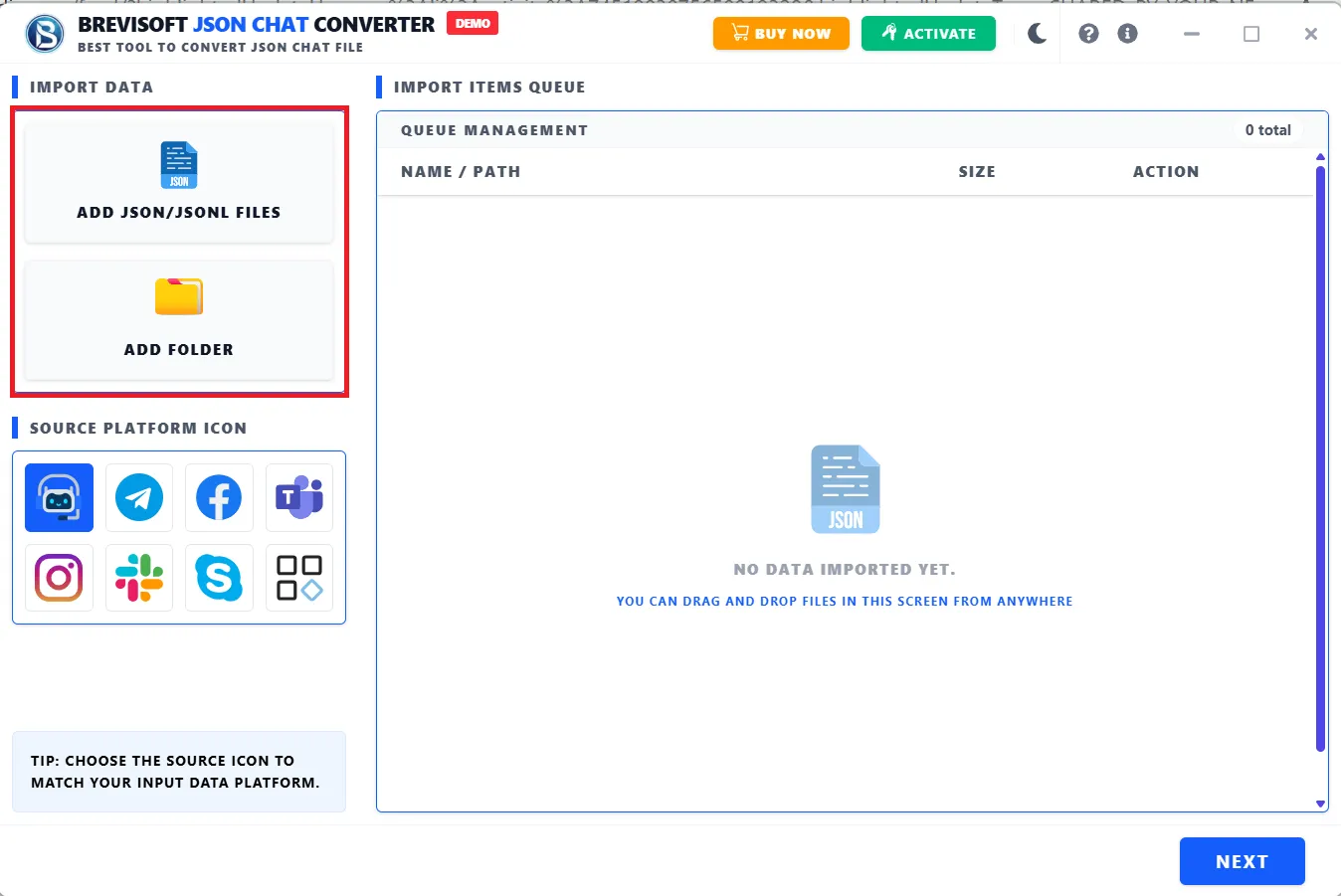
Launch BreviSoft JSON to Excel Converter and add the JSON file or files you want to convert into Excel format.

Step 2

Preview JSON File

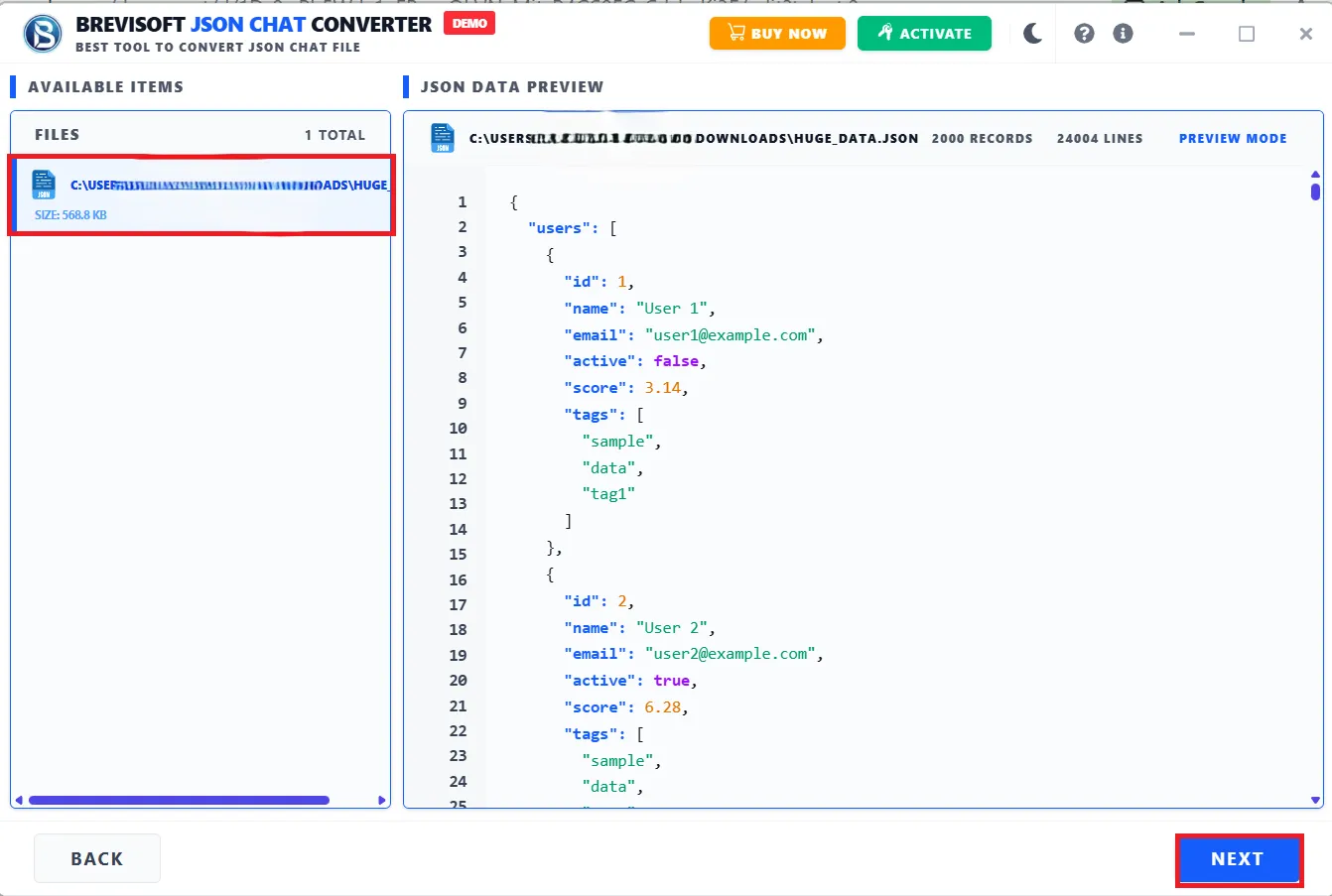
Preview the selected JSON file content to check the source information before starting the conversion.

Step 3

Choose Save as Excel XLSX Format

Select Excel XLSX as the destination format and choose where you want the converted workbook saved.

Step 4

Export JSON to Excel XLSX File

Click export to convert the selected JSON data into an Excel XLSX file and save it at your preferred location.

When to Use BreviSoft JSON to Excel Converter?

When You Need JSON Data in Spreadsheet Format

JSON is great for storing and exchanging structured information, but raw JSON isn't always convenient when you need to analyze data in a spreadsheet. BreviSoft JSON to Excel Converter turns JSON information into Excel XLSX format, making it easier to view, sort, filter, and analyze. Excel is familiar territory for business users, analysts, and anyone who works with tabular information regularly. If you need to convert JSON to Excel for reporting, analysis, documentation, or general business operations, BreviSoft handles it without manual data entry or complex programming.

When You Need to Analyze and Organize JSON Data

Professionals often receive JSON data from applications, APIs, databases, and other systems, but analyzing raw structured data directly isn't always convenient. Converting JSON to Excel makes information easier to organize within a spreadsheet environment. BreviSoft JSON File to Excel Converter creates Excel compatible output from your JSON files through a guided workflow. Once converted, you can sort, filter, review, report, and manage the data in the resulting spreadsheet. That makes it useful for developers, analysts, administrators, researchers, and business users who need accessible spreadsheet based data.

When You Need an Excel Copy of JSON Data

Creating an Excel copy of JSON information helps with documentation, reporting, collaboration, and data management. JSON is great for machine readable structured data, but Excel is usually more convenient when you actually need to inspect and work with it in tabular form. BreviSoft JSON to Excel Software makes it easy to create XLSX copies without manually copying JSON content into spreadsheets. You preview the source file, select Excel as the output format, and export the resulting workbook, which makes this a practical option for spreadsheet friendly copies of structured JSON information.

Advanced Features of BreviSoft JSON to Excel Converter Software

Convert JSON to Excel XLSX Format

JSON is commonly used by software applications, APIs, and data systems, while Excel is the go to format for spreadsheet analysis and reporting. BreviSoft bridges the two: add your JSON file, preview the source data, select Excel XLSX as the destination format, and export the converted workbook. That removes the need to manually copy JSON content into Excel, giving you a spreadsheet compatible version of your data without the manual work.

Preview JSON Data Before Conversion

The preview feature lets you inspect your selected JSON data before starting the final conversion, which helps confirm you've picked the right source file. When you're working with multiple JSON files, reviewing the content before export keeps the process more controlled and organized. BreviSoft JSON File to Excel Converter builds this preview step directly into the workflow, so you can review your JSON information before creating the Excel output, useful for anyone who needs to verify source data before reporting, analysis, or spreadsheet work.

Create Spreadsheet-Friendly Excel Output

Excel XLSX is a widely used format for structured, tabular information. BreviSoft creates spreadsheet friendly output from your JSON files, so the data is easier to review and manage in compatible Excel applications. You can use the converted workbook for analysis, sorting, filtering, reporting, and documentation, instead of manually restructuring the JSON content yourself. That makes it useful for anyone who regularly moves structured JSON information into spreadsheet based workflows.

Support Multiple JSON File Conversion

Working through several JSON files individually is repetitive and slow. BreviSoft JSON to Excel Converter Software handles multiple JSON files as part of the conversion process, which benefits developers, data analysts, IT professionals, and business users working with larger collections of structured data. Converting multiple files into Excel format simplifies recurring data management tasks and cuts down on unnecessary manual work, so you can prepare your JSON files and get Excel output ready for further analysis, reporting, documentation, or organizational use.

Easy JSON to Excel Conversion Workflow

BreviSoft follows a simple four step process for converting JSON to Excel without complicated technical steps. Add a JSON file, preview its contents, choose Excel XLSX as the destination format, and export the converted workbook. This guided process works for users at any technical level and eliminates the need to manually copy information from raw JSON files into spreadsheets for basic conversions. The straightforward interface makes it practical for developers, analysts, business professionals, and anyone else who needs an efficient way to convert JSON to Excel.

Convenient Data Export for Analysis

Converting JSON into Excel makes structured information more accessible for spreadsheet based analysis and reporting. BreviSoft exports your JSON information into XLSX format, giving you a convenient output for compatible spreadsheet applications. You can use the resulting Excel workbook for reviewing, organizing, filtering, and analyzing your data however your workflow requires. That's especially useful if you receive structured JSON information but need to work with it in a familiar spreadsheet environment, since it bridges JSON data and Excel based data management.

JSON File to Excel Converter - Software Specification

Software Download

Size: 89 MB

Version: 1.0.0

Demo Limitation

Limitations
The trial version lets you export up to 25 items per folder or file for free. Upgrade to the full version to remove this limit and unlock complete, unrestricted conversion for every file you need.

System Specifications

Hard Disk Space
1000 MB of free hard disk space required

RAM
4 GB is recommended

Processor
Intel®Core™ 2 Duo CPUE 4600@ 2.40GHz 2.39GHz

Application
Pre-Requisites

Run the tool as Standard/Guest User without asking for admin privilege:

  • If installation has done using Admin User, then all Users of machines can run the tool without Admin rights.
  • If installation has done using Standard User with Run as Admin mode, then all Users of machines can run the tool without Admin rights.
  • If installation has done using Standard User without Admin rights, then only same Standard User can run the tool.

Supported Editions

  • Windows OS – Windows 7, 8, 8.1, 10 (32 & 64-bit), Windows 11 (64-bit), Windows Server 2008, 2012 R2, 2016, 2019, 2022

FAQs

Please Disable Anti-Virus Temporarily / Allow access (Whitelist) from Anti-Virus Settings for proper working of the software.

Please avoid sources from NAS, SAN, Network or Shared Drive. Source file should be on migration machine to perform successful migration.

Electronic Delivery

Our delivery process is completely automated. Once your payment is confirmed, an email will be sent to you within a few minutes containing the download link and your activation key.

BreviSoft JSON to XLS Converter Software: Demo vs Full Version Comparison
Features Demo Version Full Version
Add JSON Files Yes Yes
JSON Data Preview Available Available
JSON to XLSX Conversion Limited/Evaluation Full Conversion
Multiple JSON File Processing Limited Supported
Excel XLSX Export Evaluation Full Export
Cost Free $29
Awards & Ratings – BreviSoft JSON to Excel XLS Conversion Tool
CNET

CNET BreviSoft JSON to Excel Converter offers a straightforward interface, efficient JSON to XLSX conversion, data preview, and convenient export options for everyday spreadsheet conversion needs.

Software Informer

Software Informer The tool provides an intuitive workflow for reviewing JSON data and converting it into Excel XLSX format, making spreadsheet conversion simple for technical and business users.

Softonic

Softonic BreviSoft JSON to Excel Converter delivers a user friendly conversion experience with practical features for turning structured JSON information into accessible Excel spreadsheets.

Software Suggest

Software Suggest A practical JSON to Excel Conversion Tool offering simple file selection, JSON preview, XLSX conversion, and export capabilities for professionals handling structured data.

Frequently Asked Questions

A Windows software tool that converts JSON files into Excel XLSX format through a simple, guided process.

Add your JSON file to BreviSoft, preview the source data, select Excel XLSX as the output format, choose a destination, and export the converted workbook.

Yes. BreviSoft handles multiple JSON files in one workflow, so it's suitable whenever you need to convert several JSON files into Excel format.

Software that transforms structured JSON data into Microsoft Excel's XLSX format. BreviSoft provides a dedicated workflow for this conversion.

Because it makes structured information easier to view, organize, sort, filter, analyze, and use in spreadsheet based reporting and data management.

Yes. There's a preview step so you can review your selected JSON information before exporting it into Excel XLSX format.

Yes. It follows a simple four step workflow: add JSON files, preview the data, select XLSX as the output format, and export the converted workbook.

No, BreviSoft is desktop software rather than an online conversion service. It's a dedicated application built for converting JSON files into Excel XLSX format.

What Customers Are Saying

JSON File to Excel Converter Tool – Verified Purchase Reviews