• Repair Any Corrupt PST File – Restore damaged, inaccessible, or oversized Outlook PST files with complete accuracy.
  • Export recovered mailbox data to EML, MSG, PDF, HTML, IMAP, Gmail, and Office 365.
  • 100% Safe & Easy Recovery – Fast, secure, and user-friendly Outlook PST Repair Tool with no data loss.
What's new in BreviSoft Outlook PST Repair Tool
v1.0.0
  • Improved deep scanning engine for faster PST Repair process
  • Enhanced recovery of severely corrupted Outlook PST files
  • Better support for oversized PST files above 500GB size
  • Advanced algorithm for accurate Outlook PST Recovery results
  • Improved recovery of deleted emails and mailbox items
1M+ Downloads
190+ Countries Worldwide
15+ Years Experience

What Data Can You Recover Using Outlook PST Recovery Tool?

Using the PST Recovery Software, users can recover and restore the following Outlook mailbox items:

PST Data Item
Description
Emails (Inbox, Sent, Drafts, Custom Folders)
Recover all email messages including sent, received, archived, and draft emails along with complete metadata such as sender, subject, date, and attachments.
Attachments
Restore all email attachments including documents, images, PDFs, spreadsheets, and compressed files without any corruption or data loss.
Contacts
Recover complete Outlook contact lists including names, email addresses, phone numbers, job details, and other stored information.
Calendars & Appointments
Restore meetings, schedules, reminders, events, and appointments with accurate date and time details.
Tasks & To-Do Items
Retrieve Outlook tasks, reminders, and to-do lists to ensure no productivity data is lost during PST Repair.
Notes
Recover important Outlook notes stored inside PST files with original formatting and content intact.
Journals
Restore journal entries that track user activities and communication history within Outlook.
Deleted Items
Recover permanently deleted emails and mailbox items that are no longer available in the Deleted Items folder.
Archive Mailbox Data
Repair and restore archived PST data including older emails and historical mailbox records.
Encrypted & Password-Protected Data
Process and recover protected or encrypted PST files securely without altering original data integrity.


Outlook PST Repair Tool - Save & Export Options

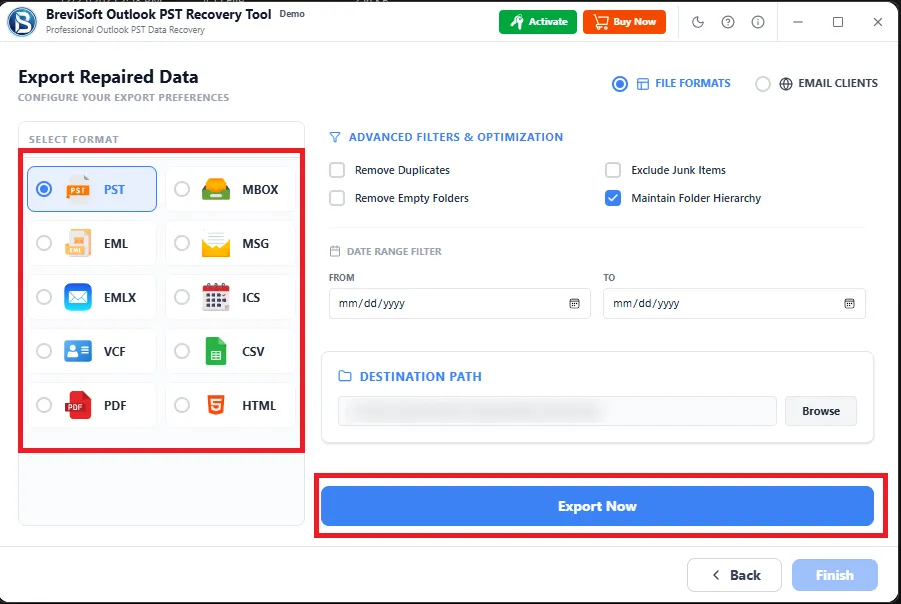
Recover Outlook mailbox data and save it into multiple file formats including PST, PDF, EML, MSG, HTML, CSV, and MBOX without losing
email properties or folder hierarchy.

Save Option
Description
New PST File
Save recovered data into a fresh PST file for direct use in Outlook.
EML Export
Save emails in EML format for email client compatibility.
MSG Export
Export Outlook items with full message properties intact.
PDF Export
Convert emails into PDF for easy sharing and printing.
HTML Export
Save data in web-based HTML format for easy viewing.
CSV Export
Export contacts and data for spreadsheet use.
MBOX Export
Save mailbox data for multiple email clients.
Office 365
Upload PST data to Office 365 cloud.
IMAP Accounts
Works with any IMAP-supported email server.
Gmail
Import recovered Outlook data into Gmail account.

When to Use BreviSoft Outlook PST Recovery Tool

Use this tool to recover Outlook mailbox from corrupt or broken PST files.

When Your Outlook PST File Gets Corrupted or Inaccessible

If Outlook fails to open your mailbox, displays errors, or reports that the PST file is corrupted, BreviSoft Outlook Mailbox Recovery Tool is the ideal solution. It performs advanced PST Repair to fix damaged, inaccessible, or corrupted Outlook data files while preserving every email, contact, calendar, task, note, and attachment. Whether the corruption is caused by unexpected system shutdowns, virus attacks, disk failures, or Outlook crashes, the software quickly restores your mailbox and gets Outlook working again without risking data loss.

When You Need to Recover Deleted or Lost Outlook Emails

Accidentally deleting important emails or losing mailbox data can be stressful, especially when it contains business or personal information. BreviSoft Outlook Recovery Tool performs deep PST Recovery to recover deleted emails, contacts, attachments, archive folders, calendars, and other Outlook items from damaged or inaccessible PST files. It carefully scans the entire Outlook mailbox and restores maximum data while maintaining the original folder hierarchy, email formatting, and metadata, making it the perfect solution for complete Outlook mailbox recovery.

When ScanPST Fails to Repair Your Outlook Data File

Microsoft's ScanPST utility often cannot repair severely damaged or oversized PST files. If ScanPST stops responding, fails to fix Outlook errors, or recovers only partial data, BreviSoft serves as a powerful ScanPST Alternative. Its intelligent recovery engine repairs heavily corrupted Outlook data files, oversized PST files, encrypted mailboxes, and archive files with greater accuracy. Whether you're an individual user, IT administrator, or business professional, the software delivers fast, secure, and reliable Outlook PST Recovery with just a few clicks.

Advanced Features of Outlook PST Recovery Tool

Advanced PST Recovery Tool to repair, recover, and restore Outlook data safely.

Deep Scan Engine for Complete PST Repair

Deep Scan Engine for Complete PST Repair


BreviSoft Outlook PST Recovery Tool includes a powerful deep scan engine designed to detect and repair even severely corrupted PST files that standard utilities cannot fix. It performs a sector-by-sector analysis of the Outlook data file to locate hidden, deleted, or damaged mailbox items. This advanced PST Repair technology ensures maximum recovery from corruption caused by system crashes, virus attacks, or storage failures. Unlike basic recovery utilities, this Outlook Repair Tool rebuilds the internal PST structure accurately, restoring emails, contacts, calendars, and attachments with full integrity, original formatting, and complete folder hierarchy intact.

Complete Outlook Mailbox Recovery

The PST Recovery Software provides full mailbox restoration from damaged or inaccessible PST files. It recovers all Outlook items including emails, attachments, contacts, calendars, journals, tasks, and notes in one complete process. Even if the PST file is heavily corrupted or unreadable, this Outlook PST File Recovery Tool reconstructs the entire mailbox structure with precision. Users can rely on it for both personal and professional data recovery needs. It ensures that no critical information is lost and that the recovered mailbox maintains original structure, making Outlook Data File Recovery smooth, reliable, and complete.

Multiple Export Formats for Recovered Data

The Outlook PST Recovery Tool allows users to save recovered mailbox items in multiple formats such as EML, MSG, CSV, MBOX, PDF, and HTML. It also supports direct export to Office 365, IMAP, and Gmail accounts. This flexibility ensures users can access recovered data in any environment or platform. It is especially useful for businesses migrating email systems or maintaining backups in different formats. This feature enhances Outlook Data File Recovery by providing maximum portability and compatibility for all recovered mailbox data.

Repair of Oversized PST Files

The Outlook PST Recovery Tool is designed to efficiently repair oversized PST files that exceed standard Outlook size limitations. Large mailboxes often become corrupted due to continuous usage and storage overload. This PST Repair Software intelligently restructures and repairs oversized data files without compromising data integrity. It ensures smooth Outlook Data File Recovery by reorganizing internal file components and restoring accessibility. Users can recover large volumes of emails and attachments while maintaining original folder hierarchy, making it ideal for enterprise-level and long-term Outlook users dealing with heavy mailbox data.

Advanced ScanPST Alternative Technology

Unlike Microsoft’s Inbox Repair Tool (ScanPST), which often fails on severely corrupted files, this Outlook PST Recovery Tool uses advanced algorithms for deep-level repair. It serves as a powerful ScanPST Alternative capable of handling complex corruption scenarios and inaccessible Outlook data files. The PST Inbox Recovery Software rebuilds damaged structures and restores mailbox content with higher accuracy and success rates. Users experiencing ScanPST errors or incomplete recovery results can rely on this Outlook Repair Tool for complete Outlook Inbox Repair and reliable PST file restoration.

Save Recovered Data into New PST File

After completing PST Repair, users can save all recovered mailbox data into a new PST file. This newly created file can be directly opened in Microsoft Outlook to access all restored emails, contacts, calendars, and attachments. This feature ensures seamless continuity after Outlook PST Recovery, allowing users to quickly resume normal operations. It is ideal for users who want to maintain traditional PST-based workflows while ensuring their data is fully repaired and securely stored.

Split, Compact, and Cloud Export Options

The Outlook PST Recovery Tool provides advanced options to split large PST files into smaller parts, compact oversized mailboxes, and export recovered data to cloud services such as Microsoft 365, IMAP, and Gmail. This ensures better performance, easier management, and improved accessibility of recovered data. It is particularly useful for enterprise users handling large mailboxes or migrating to cloud-based email systems. This feature enhances PST Recovery Software functionality by offering complete flexibility in data management and storage optimization.

Preservation of Folder Hierarchy and Metadata

The Outlook Repair Tool ensures that all recovered data maintains its original structure, including folders, subfolders, email formatting, and metadata. This means users get a restored mailbox exactly as it was before corruption. The PST Recovery Software preserves sender details, timestamps, subject lines, and attachments without alteration. This is especially important for business users who rely on organized data for compliance, auditing, and communication tracking. The Outlook Recovery Tool guarantees accurate Outlook Data File Repair with complete structural integrity and zero data distortion.

Advanced Preview Before Saving Data

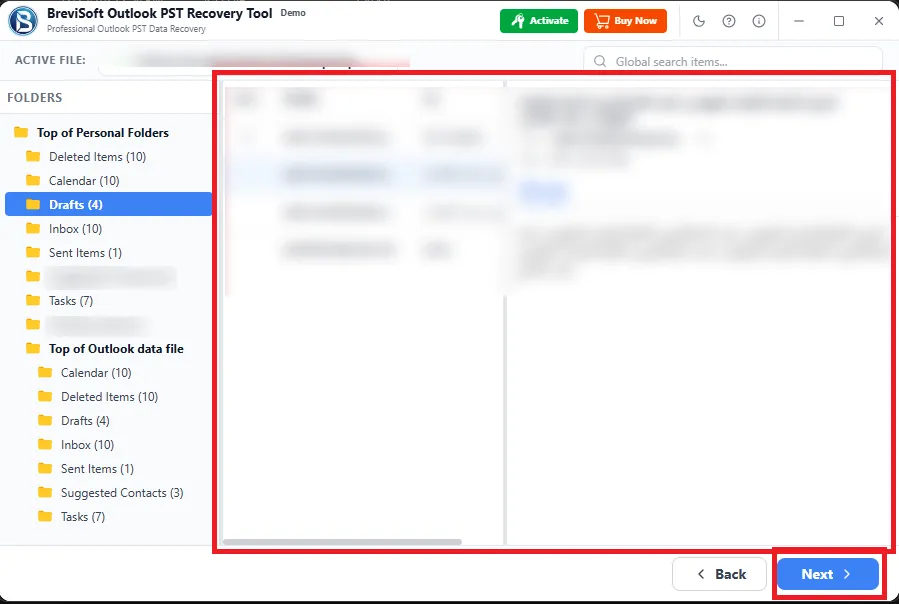
Before exporting recovered data, the PST Recovery Software provides a detailed preview of all recoverable Outlook items. Users can view emails, attachments, contacts, and calendars in an organized interface. This helps ensure that only required data is selected for recovery, saving time and storage space. The Outlook Mailbox Recovery Tool improves transparency by allowing users to verify recovered content before final export. This feature enhances confidence in Outlook Data File Recovery and ensures users only restore the data they actually need from the repaired PST file.

Support for All Outlook Versions and File Types

The Outlook PST Recovery Tool is compatible with all versions of Microsoft Outlook, including both older and latest editions. It supports ANSI and Unicode PST files, ensuring smooth PST Repair across different environments. Whether users are working on Outlook 2007, 2010, 2013, 2016, 2019, 2021, or newer versions, this PST Recovery Software delivers consistent performance. It ensures reliable Outlook Data File Recovery across personal, business, and enterprise systems, making it a universal solution for repairing and restoring Outlook mailbox data.

Fast, Secure, and User-Friendly Recovery Process

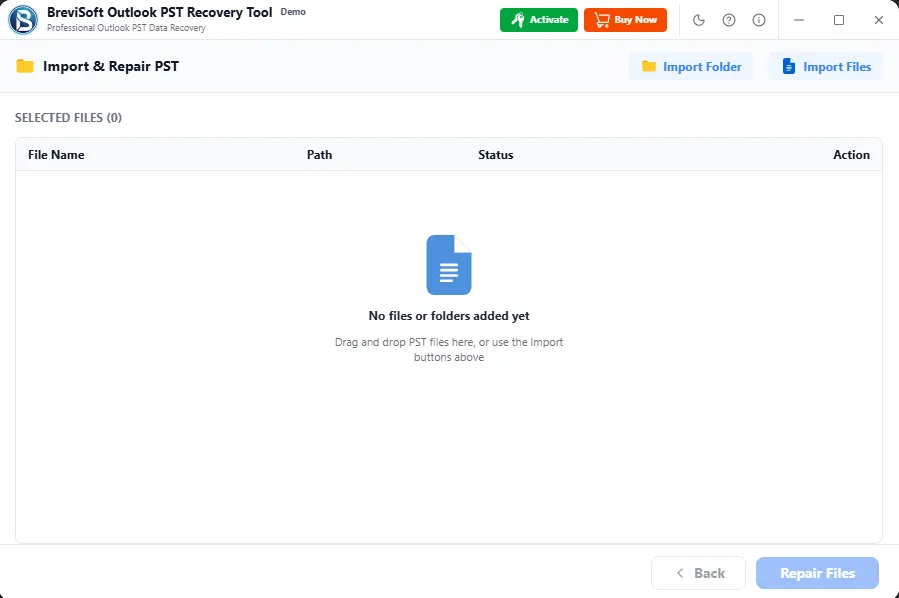
This Outlook Mailbox Repair Tool is designed with a simple and intuitive interface that enables users of all skill levels to perform advanced PST Repair easily. The recovery process is fast, secure, and guided step-by-step, requiring no technical expertise. The PST File Recovery Software ensures complete data safety during scanning and recovery, preventing overwriting or corruption of original files. With just a few clicks, users can perform Outlook PST Recovery efficiently, making it one of the most reliable solutions for quick and secure Outlook mailbox repair.

Selective Outlook Data Recovery Options

The Outlook PST Recovery Tool allows users to perform selective recovery, enabling them to choose specific emails, folders, or attachments for restoration. This reduces unnecessary data export and improves recovery efficiency. The PST Mailbox Recovery Software provides a structured preview interface where users can easily select required mailbox items. This feature is especially useful for large PST files where full recovery is not needed. It ensures precise Outlook Data File Recovery while saving time, storage space, and system resources during the repair process.

Safe and Non-Destructive Recovery Process

BreviSoft Outlook PST Repair Tool ensures a completely safe and non-destructive recovery process. It scans and repairs PST files without altering or damaging the original data. Users can confidently perform PST Repair without worrying about data overwriting or corruption. The Outlook PST Inbox Recovery Tool works in a read-only mode during scanning, ensuring complete protection of source files. This makes it a secure choice for professionals and organizations who need reliable Outlook Data File Recovery without risking original mailbox integrity.

BreviSoft Outlook PST File Recovery Software - Specifications

Download Now and Recover Corrupt PST File Fast, Safe & Easily

Software Download

Size: 11.92 MB

Version: 1.0.0

Trial Limitations

Limitations
The trial version of the Outlook PST Recovery Tool to repair corrupt or inaccessible PST files and allows users to save up to 50 email items per folder in EML, New PST, MBOX, MSG, PDF, CSV and HTML formats.

System Specifications

Hard Disk Space
1000 MB of free hard disk space required

RAM
4 GB is recommended

Processor
Intel®Core™ 2 Duo CPUE 4600@ 2.40GHz 2.39GHz

Application
Pre-Requisites

Run the tool as Standard/Guest User without asking for admin privilege:

  • If installation has done using Admin User, then all Users of machines can run the tool without Admin rights.
  • If installation has done using Standard User with Run as Admin mode, then all Users of machines can run the tool without Admin rights.
  • If installation has done using Standard User without Admin rights, then only same Standard User can run the tool.

Supported Editions

  • Microsoft Windows – Win 7 / 8 / 10 (32-Bit & 64-Bit) / 11 (64-Bit) & Windows Server 2008 / 2012 / 2016 / 2019

FAQs

Electronic Delivery

Delivery is fully automated. After successful payment confirmation, you will receive an email within a few minutes containing your download link and activation key.

BreviSoft Outlook PST Recovery Tool - Feature Comparison

Compare Features of Outlook PST Repair Tool – Free vs Full Version at a Glance

Features Demo Version Full Version
Add Multiple PST / BAK Files
Quick & Advanced Scanning Options
Remove Email Encryption
Preview Recovered Data Items Yes (Limited)
Sort Option in Preview Panel Basic sorting Advanced sorting filters available
Windows Compatibility (11, 10, 8 & older) Supported Fully optimized support
Support for ANSI & Unicode PST
Filter & Split Options
Export as PST, MBOX, CSV, PDF, EML, MSG, HTML 50 Items Per Folders Unlimited export capability
Import to Office 365, IMAP, Gmail Account 50 Items per folder Full mailbox import support
Export Without Outlook Installation
Cost Free $39
Awards & Ratings – Outlook PST Repair Tool

Recognized PST Repair Tool with high ratings for Outlook data recovery and repair.

Software Informer

Software Informer Rated as a reliable Outlook PST Repair Tool for fast, accurate PST Recovery, strong performance, and easy user experience in repairing corrupted Outlook data files.

Softonic

Softonic Recognized for its powerful PST Recovery Software capabilities, offering secure Outlook Data File Recovery, deep scanning, and high success rate in repairing damaged PST files.

Software Suggest

Software Suggest Highly recommended Outlook PST Recovery Tool for professional use, praised for advanced PST Repair features, multiple export options, and dependable mailbox recovery performance.

Frequently Asked Questions

PST Repair is the process of fixing corrupted or damaged Outlook data files. The BreviSoft Outlook PST Recovery Tool helps restore emails, contacts, and mailbox items when PST files become inaccessible due to errors, crashes, or virus attacks.

PST Recovery Software is used to recover lost or corrupted Outlook mailbox data. The BreviSoft Outlook PST Recovery Tool performs deep Outlook Data File Recovery including emails, attachments, calendars, and contacts.

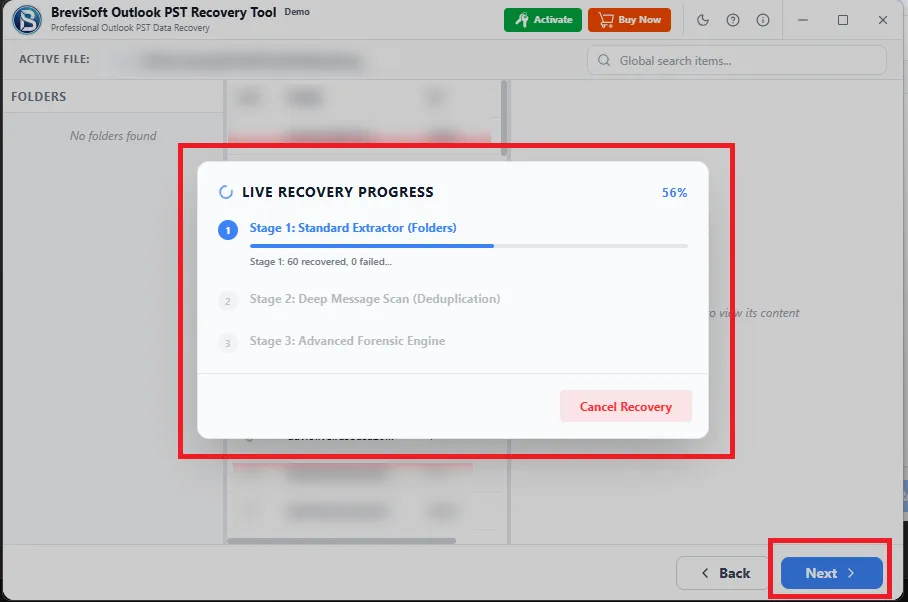
The BreviSoft Outlook PST Recovery Tool scans corrupted PST files, repairs internal structure, and extracts mailbox data. It then allows users to save recovered items in multiple formats like PST, EML, MSG, PDF, and more.

Yes, the BreviSoft Outlook PST Recovery Tool works as a powerful ScanPST Alternative. It performs advanced Outlook Inbox Repair even when Microsoft’s Inbox Repair Tool fails.

Yes, this PST Recovery Software can Recover Deleted PST File data including permanently deleted emails, attachments, and folders using deep scan technology.

Yes, the BreviSoft Outlook PST Recovery Tool can Repair PST File without Microsoft Outlook installation and still recover full mailbox data.

The tool supports saving recovered data in PST, EML, MSG, MBOX, CSV, PDF, HTML, and also export to Office 365, IMAP, and Gmail.

Yes, it can Repair Large PST File issues and restore oversized Outlook data files without losing emails or attachments.

Yes, it uses a read-only recovery process ensuring original PST files remain unchanged during Outlook Data File Repair.

Yes, users can preview emails, contacts, and attachments before saving recovered data using the BreviSoft Outlook PST Recovery Tool.

Yes, the tool preserves original folder hierarchy, formatting, and metadata during PST Repair and Outlook Data File Recovery.

Yes, the BreviSoft Outlook PST Recovery Tool supports export to Office 365, Gmail, and IMAP for easy cloud migration.

Yes, it is far more advanced than ScanPST and handles complex corruption scenarios where Inbox Repair Tool fails.

Yes, the tool can recover data from password-protected PST files without requiring the original password.

The BreviSoft Outlook PST Recovery Tool offers deep scanning, multiple export formats, cloud support, and complete Outlook mailbox recovery with high accuracy.

What Customers Are Saying

BreviSoft Outlook Mailbox Recovery Tool – Verified Purchase Reviews